E-reader or tablet?
Start by deciding what you will do with it most. If it is mainly for reading books, buy an e-reader. E-ink screens are easy on the eyes, readable in direct sunlight, and the battery lasts weeks. If you also want streaming, video calls, browsing, comics, homework or audiobooks, a tablet does far more, but it is heavier, has a glossy screen and needs charging most days.
Irish readers have one more thing to consider. Your local library lends ebooks and audiobooks free, and not every device can borrow them. Kindle e-readers cannot borrow from Irish libraries. Kobo e-readers and tablets can. We explain this in detail below, because for regular readers it can matter more than any screen spec.
Our picks
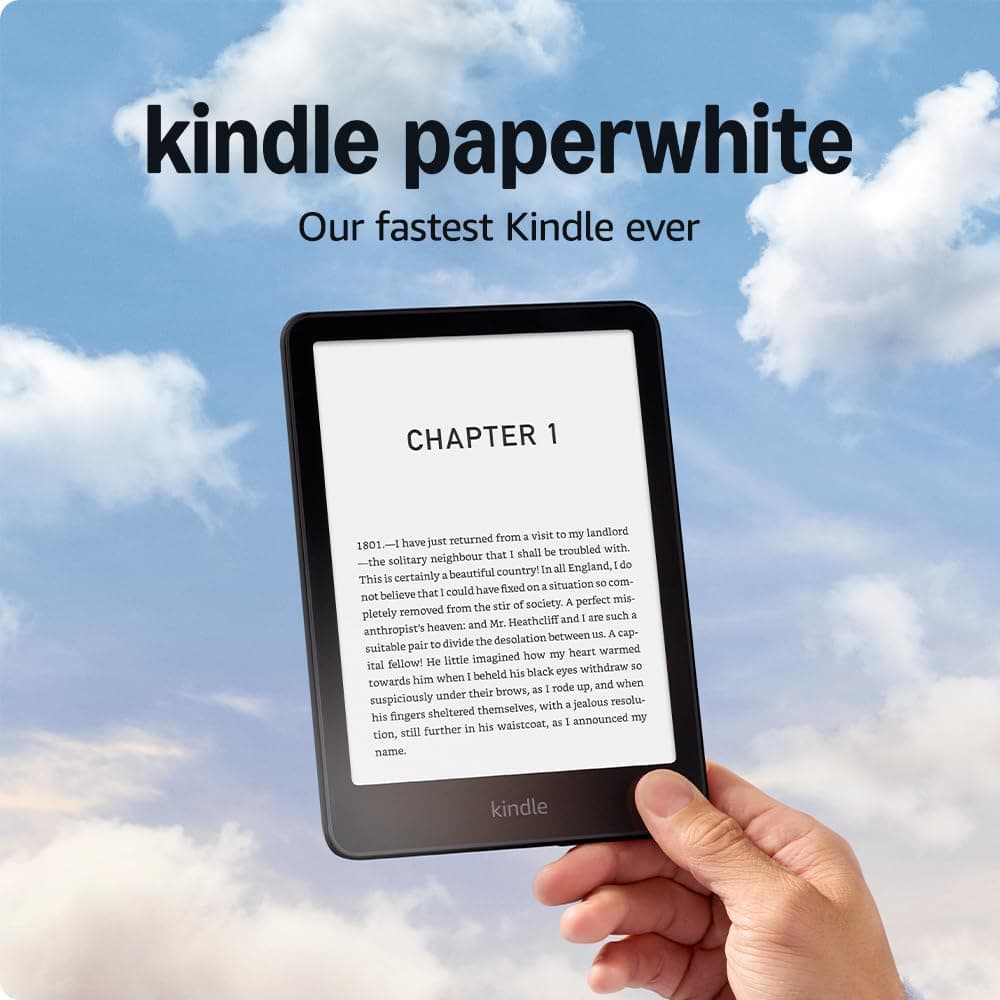
Kindle Paperwhite (2024 model) 16GB – 7" Glare-Free Display with Adjustable Warm Light (With Ads, Black)
Best for: Readers who buy their books from Amazon
The Paperwhite is the e-reader most people should start with, especially if you already buy Kindle books. This 2024 model has a larger 7-inch glare-free display at 300 ppi, which looks sharp, like printed text, and stays readable outdoors; Amazon also highlights higher contrast and faster page turns. Adjustable warm light moves the screen from white to amber for reading in bed. It is IPX8 waterproof, so it survives the bath or a wet beach. Amazon quotes up to 12 weeks per USB-C charge, based on half an hour of reading a day, and 16GB holds thousands of ebooks. The big drawback in Ireland is library borrowing (see below).
Pros
- Sharp 7-inch, 300 ppi glare-free screen that reads like paper
- Adjustable warm light for night reading
- IPX8 waterproof
- Up to 12 weeks per charge (Amazon figure)
Cons
- Cannot borrow ebooks from Irish public libraries through BorrowBox or Libby
- This listing is the With Ads version, which shows offers on the lock screen
- No physical page-turn buttons, wireless charging or auto-adjusting light
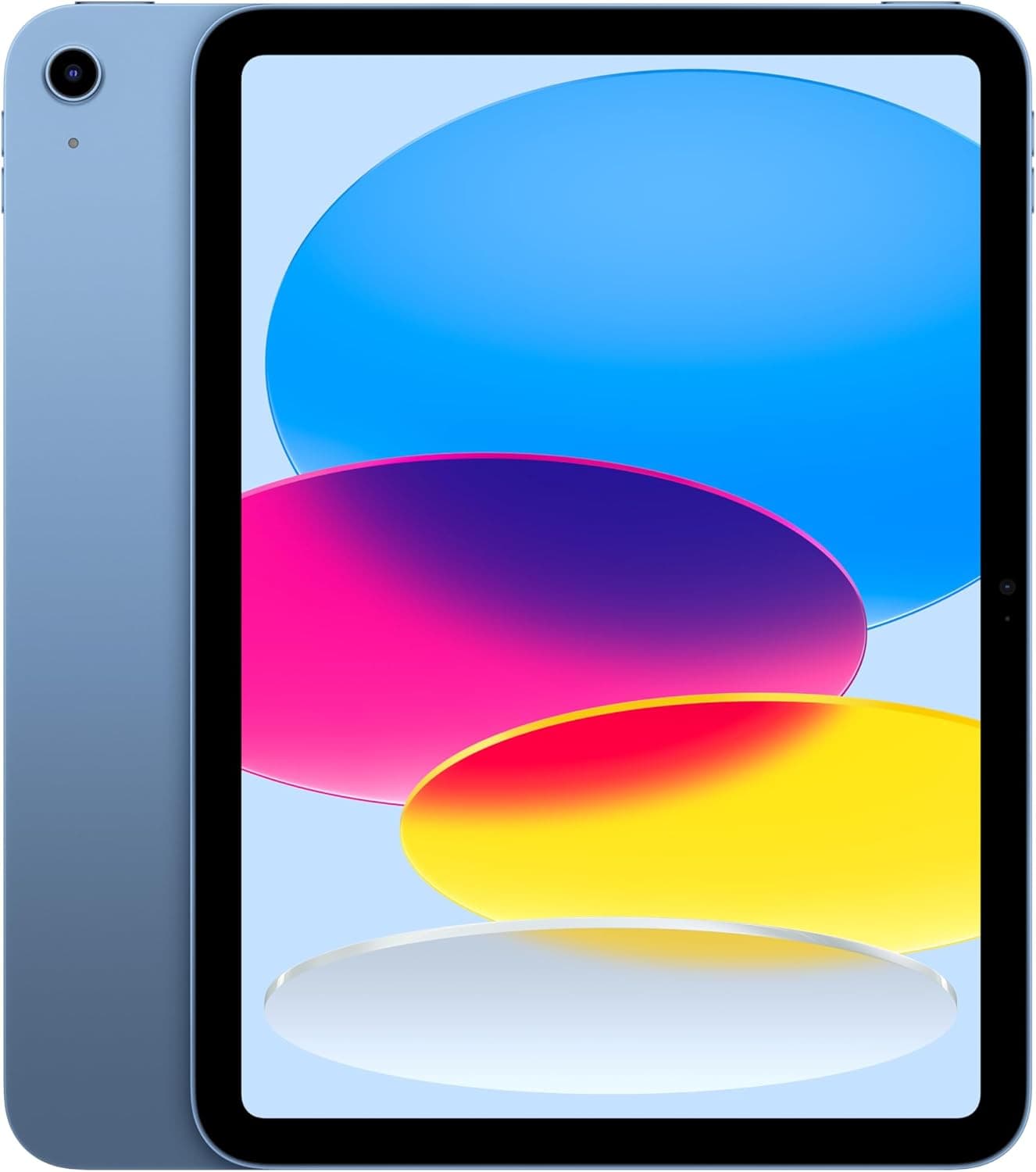
Apple iPad 11-inch (A16 chip, 2025) Wi-Fi 128GB – Liquid Retina Display, Touch ID, 12MP Cameras (Blue)
Best for: Families wanting one device for streaming, calls and reading
Apple’s standard iPad, now built around the A16 chip, is a dependable all-rounder for a household. The 11-inch Liquid Retina display suits streaming, browsing and recipes, and storage starts at 128GB, double the old 64GB base model. The 12MP Centre Stage front camera sits on the landscape edge, so video calls with family abroad look natural when the iPad is on a stand. Touch ID is in the top button, it has Wi-Fi 6 and USB-C, and Apple quotes up to 10 hours of browsing or video. It runs BorrowBox, Libby, Kindle and Kobo apps, so it can borrow library books that a Kindle cannot, although reading on an LCD for hours is more tiring than e-ink.
Pros
- Bright 11-inch display for video, browsing and comics
- 128GB of storage as standard
- Landscape front camera for video calls
- Runs BorrowBox, Libby, Kindle and Kobo apps
Cons
- No Apple Intelligence or Apple Pencil Pro support; it works with Apple Pencil (USB-C)
- Apple refreshes the standard iPad regularly, so check the chip named in a listing
- A glossy LCD is harder to read in sunlight and on long reads than e-ink
Other tablets and e-readers worth considering
Links open an Amazon.ie search filtered to items sold & dispatched by Amazon.ie. Availability changes.
- Search Amazon.ie
Kobo Clara BW
A compact 6-inch Kobo e-reader with built-in OverDrive library borrowing, and the cheapest route to library ebooks on e-ink.
- Search Amazon.ie
Kobo Libra Colour
A 7-inch colour e-ink reader with physical page buttons and stylus support for notes. It also has built-in OverDrive.
- Search Amazon.ie
Kindle Colorsoft
Amazon’s colour e-ink Kindle for book covers, comics and highlights. It has the same library limitations as other Kindles in Ireland.
- Search Amazon.ie
Amazon Kindle (basic model)
The smallest and cheapest Kindle, with a 6-inch screen. A good starter e-reader if you buy your books from Amazon.
- Search Amazon.ie
Samsung Galaxy Tab S10 FE
An Android tablet that comes with an S Pen. It runs BorrowBox, Libby and Kindle apps, and suits Android households.
The Dublin Drop — Friday Deals
Price drops on Amazon.ie stock, once a week. No customs fees, no spam.
Free. No spam. Unsubscribe anytime. We only send verified domestic deals.
Our picks side by side
| Device | Screen | Storage | Battery | Irish library ebooks |
|---|---|---|---|---|
| Kindle Paperwhite (2024) 16GB | 7" e-ink, 300 ppi, warm light | 16GB | Up to 12 weeks | No |
| Apple iPad 11-inch (A16) 128GB | 11" Liquid Retina LCD | 128GB | Up to 10 hours of video or browsing | Yes, via BorrowBox and Libby apps |
| Kobo Clara BW / Libra Colour | 6" mono / 7" colour e-ink | Varies | Weeks | Libby/OverDrive built in; BorrowBox via a computer |
Free ebooks and audiobooks from Irish libraries
Public library membership in Ireland is free, and with your library card number and PIN you can borrow ebooks and eAudiobooks through BorrowBox, the main service used by Irish library services. You download the BorrowBox app, choose your library service, and sign in. Some library services, such as Dún Laoghaire-Rathdown, also offer Libby (by OverDrive), which has its own catalogue of ebooks, eAudiobooks and magazines. Loan limits vary by library service. Check your county library’s website or Libraries Ireland for what yours offers.
| Device | BorrowBox | Libby / OverDrive |
|---|---|---|
| Kindle e-readers (Paperwhite, Colorsoft, basic Kindle) | Not supported | Not supported in Ireland (Kindle library lending is US-only) |
| Kobo e-readers | Yes, by downloading on a computer and transferring with Adobe Digital Editions | Yes, built into recent Kobo models (ebooks only) |
| iPad, Android tablets, Fire tablets | Yes, via the app | Yes, via the app |
| Phones | Yes, via the app | Yes, via the app |
Which device suits which reader
- The commuter or holiday reader who buys books: Kindle Paperwhite. It is light, waterproof and readable in sunlight, and one charge comfortably covers a fortnight away without a charger.
- The library regular: a Kobo e-reader, such as the Clara BW for pocketability or the Libra Colour for page buttons. You can borrow free ebooks through Libby (where your library offers it) or BorrowBox via a computer, and never pay for a book unless you want to.
- The audiobook listener: a phone or tablet. BorrowBox and Libby eAudiobooks play through the apps, which are easier to use than e-reader audio support.
- The household sharing one screen: the iPad. It is a reader, TV, video-call screen and homework device in one. Set up separate user profiles in streaming apps and use Screen Time controls for children.
- The comics and cookbook reader: a tablet first. Colour e-ink (Kindle Colorsoft, Kobo Libra Colour) is improving, but full-colour pages still look better on an LCD.
- The older reader with tired eyes: any e-reader lets you increase the text size well beyond a printed book, and e-ink avoids the glare of a tablet. A 7-inch screen, such as the Paperwhite’s or the Kobo Libra Colour’s, fits more words per page at large font sizes.
Buying advice
- Check where your books come from. If you already own a large Kindle library, staying with Kindle makes sense. If you mostly borrow, choose a Kobo. If you mostly read DRM-free EPUBs, either brand works.
- Look at pixel density, not just screen size. For e-ink, 300 ppi is the level where text looks sharp. A 6-inch reader fits a coat pocket. A 7-inch screen with page buttons is easier to hold one-handed.
- Warm light helps at night. An adjustable warm front light makes reading in bed easier than a cold white screen.
- Waterproofing matters more than you might think. A reader rated IPX8 survives the bath, a rainy commute and the beach in Kerry.
- Storage on tablets. Budget tablets often start at 64GB, which is fine for streaming and apps but fills quickly if children download games and offline videos. The standard iPad now starts at 128GB. Buy more storage than you think you need, because iPads have no memory card slot; some Android tablets take a microSD card.
- Colour e-ink is still a compromise. It suits comics and book covers, but colours are muted compared with a tablet, and text on colour screens can look slightly less crisp than on the best black-and-white e-ink displays.
For streaming devices and smart speakers, see our smart home & streaming guide, and browse more in electronics. Both devices here are sold and dispatched by Amazon.ie. See why we only list Amazon.ie stock.