The short version: what carries over
Upgrading to a Switch 2 is mostly good news. Your Nintendo Account, digital games and Nintendo Switch Online membership come with you, a system transfer at setup brings your save data across, most original Switch games play on the new console, your game cards fit its slot, and original Pro Controllers and Joy-Con pair with it wirelessly. What stays behind is the hardware built around the old console’s shape and storage: the dock, the case, the screen protector and, for games, the microSD card.
| From your old Switch | Works with Switch 2? | What to do |
|---|---|---|
| Nintendo Account and digital games | Yes | Sign in with the same account during setup, then redownload |
| Nintendo Switch Online | Yes, it belongs to your account | Nothing; online play and GameChat use the same membership |
| Save data | Yes, with a system transfer | Transfer during first-time setup (Step 2) |
| Physical game cards | Yes, for most games | Use them in the Switch 2 card slot; check Nintendo’s list for known issues |
| Pro Controller | Yes, wirelessly | Pair it from the Controllers menu (Step 5) |
| Joy-Con | Yes, wirelessly, but they cannot attach to the console | Pair them, and plan how to charge them (Step 5) |
| amiibo | Yes | Tap them on the right Joy-Con 2 or a Pro Controller |
| microSD card | Screenshots and videos only | Copy your captures across, then reuse the card elsewhere (Step 3) |
| Dock and AC adapter | No | Keep them with the old console (Step 6) |
| Case and screen protector | No, the Switch 2 is bigger | Buy Switch 2 versions (Step 7) |
| Wired 3.5mm headset | Yes | Plug it into the headphone jack on top of the console |
The steps below follow the order you will actually do things in, with the kit you need at each one. Everything we link to as a product is sold and dispatched by Amazon.ie, so there are no customs charges or An Post handling fees, chargers have an Irish/UK 3-pin plug, and you have EU consumer rights (why we only list Amazon.ie stock). For the full accessory rundown, see our Switch 2 accessories guide.
Before you start: what you need
- Both consoles charged, ideally plugged in, with the old Switch updated to the latest system software (System Settings > System > System Update).
- Your Nintendo Account email and password. If you have forgotten the password, reset it on Nintendo’s website before you start, not halfway through setup.
- A reliable Wi-Fi connection. Your digital games download again on the new console, which takes a while for a big library on rural broadband.
- The parent’s account, if children use the console. Child accounts in a Nintendo Account family group are managed from it.
- Your old controllers, a plan for charging original Joy-Con once the old Switch has gone and, ideally, a microSD Express card ready on the day.
The Dublin Drop — Friday Deals
Price drops on Amazon.ie stock, once a week. No customs fees, no spam.
Free. No spam. Unsubscribe anytime. We only send verified domestic deals.
Step 1: Get your Nintendo Account and old Switch ready
Your digital games, Switch Online membership and eShop balance belong to your Nintendo Account, not to the console. Check in System Settings > Users on the old Switch that every user is linked to a Nintendo Account, and note which account bought which games. In many families the games were bought on a parent’s account, and that account needs to come across to the Switch 2 for those games to be playable there.
Nintendo Switch Online carries over with no action needed, and a Family membership covers up to eight Nintendo Accounts in your family group. On Switch 2, online play and GameChat (Nintendo’s voice and video chat) need an active membership, and Expansion Pack members also get extra classic games, including Nintendo GameCube titles that are only available on Switch 2.
Step 2: Transfer your data during setup
When you switch on a new Switch 2 for the first time, the setup offers a system transfer from an original Switch, Switch OLED or Switch Lite. Do it then: Nintendo built the transfer into first-time setup, and if you skip it you may have to reset the new console to get the option back. The transfer brings across your users and their save data. Your digital games are downloaded again from the Nintendo eShop rather than copied, so expect the new console to spend a while downloading afterwards. Nintendo’s support site lists exactly what moves.
| Method | Use it when | What to know |
|---|---|---|
| Local transfer, with both consoles side by side | The old Switch is still in the house | Keep both consoles charged, close together and online until it finishes |
| Transfer through Nintendo’s server | You cannot have both consoles in the same place at the same time | Upload from the old Switch first, then download during the Switch 2’s setup; read the notes on what happens to data on the old console |
- Switch on the Switch 2, choose your language and region, and connect to Wi-Fi.
- When setup offers it, choose to transfer data from a Nintendo Switch, then follow the prompts on both screens.
- Sign in to each Nintendo Account when asked.
- Let the downloads run. If you are short of space before your microSD Express card arrives, download the games you play most first.
- If you want your old screenshots and videos, insert the old microSD card and copy them to the console’s memory from System Settings.
Step 3: Sort out storage (your old microSD card will not do)
The Switch 2 has 256GB of built-in storage, and an upgrader fills it faster than a first-time owner: your existing digital library downloads again, Switch 2 games are often much larger than original Switch games, and Game-Key Cards (boxed games that contain a key rather than the full game) download the whole game. To add space, the Switch 2 needs a microSD Express card. The ordinary microSD card from your old Switch can only be used to copy screenshots and videos into the console’s memory; it cannot hold games, not even original Switch games.
| What you want to do | Old microSD card (microSDXC/SDHC) | microSD Express card |
|---|---|---|
| Install and play Switch 2 games | No | Yes |
| Install original Switch games on a Switch 2 | No | Yes |
| Screenshots and videos | Copy them across to the console | Yes |
| Use in a phone, camera or the old Switch | Yes | Generally yes, at ordinary UHS-I speeds |
| How to spot it | No EX logo (it may still say U3, V30 or A2) | “microSD Express” in the name and the EX logo on the card |
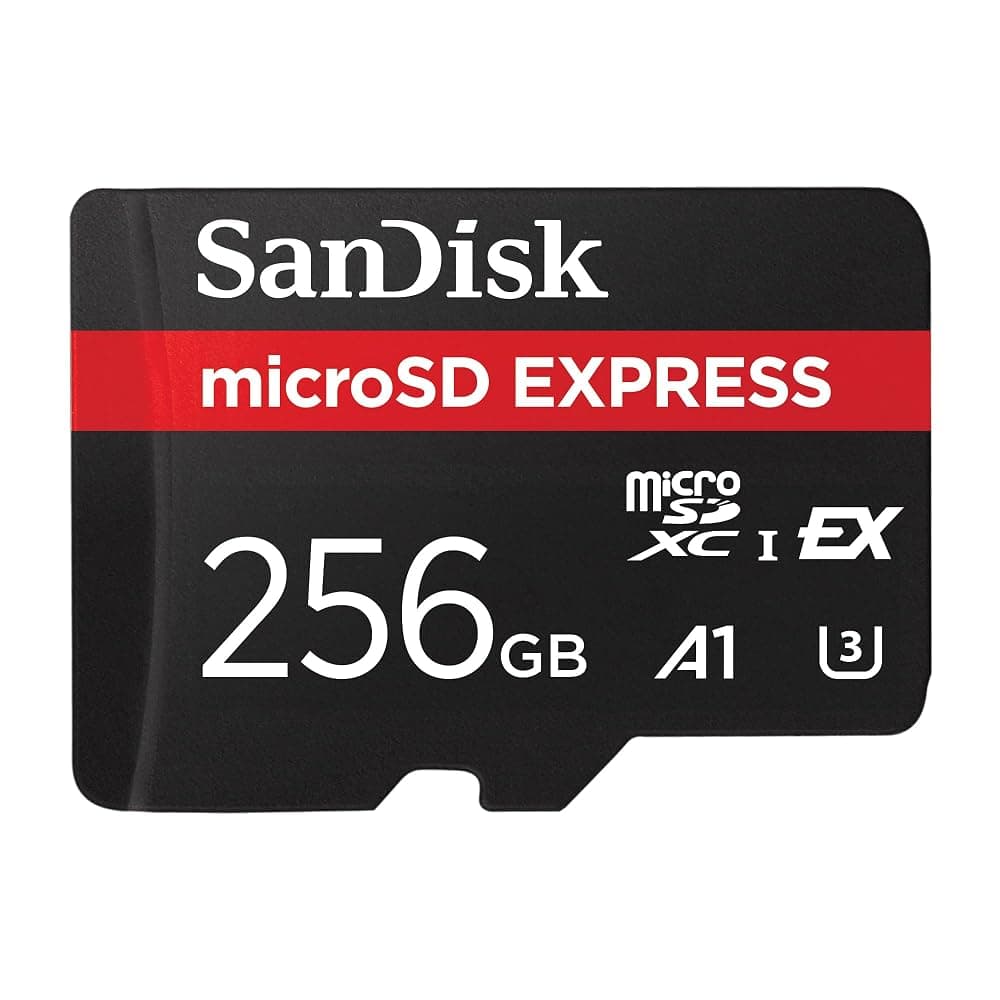
SanDisk microSD Express Card 256GB for Nintendo Switch 2 – Up to 880MB/s Read, 650MB/s Write (SDSQXFN-256G)
Best for: Anyone redownloading a digital library, or buying Game-Key Cards
A 256GB microSD Express card doubles the console’s built-in storage, which is enough room for most households to bring back their regular games and add new ones. SanDisk quotes up to 880MB/s read, measured with its own reader; inside the console the Switch 2 sets the pace, so treat the figure as a sign of the standard rather than a speed you will notice. If the console is a Christmas present, buy the card at the same time so the first big downloads go straight onto it.
Pros
- microSD Express, so the Switch 2 can install and run games from it
- Doubles the 256GB of built-in storage
- Works at normal speeds in ordinary microSD devices if you move it later
Cons
- Costs noticeably more per gigabyte than ordinary microSD
- May be too small if you bought nearly everything digitally on the old Switch
If the SanDisk is dearer or out of stock on the day, PNY’s 256GB microSD Express card does the same job. Buy whichever is cheaper.
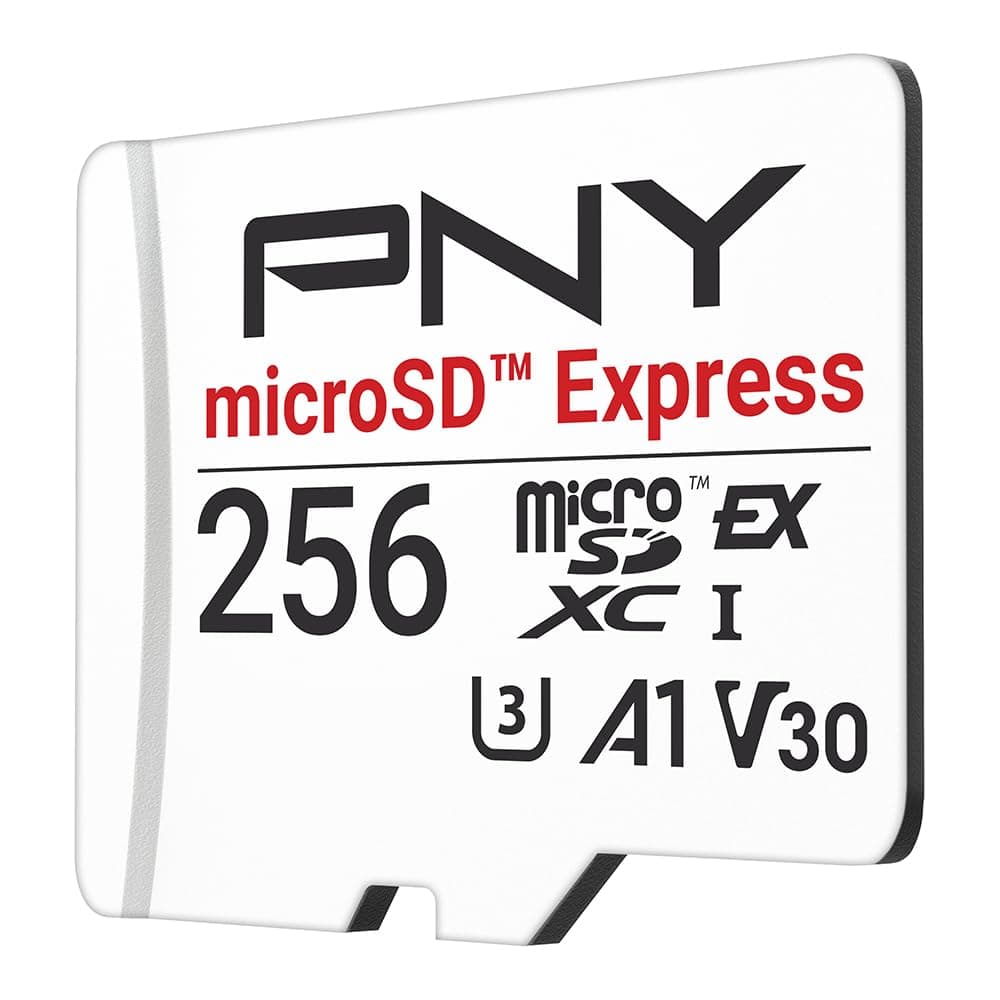
PNY microSD Express 256GB Card for Nintendo Switch 2 – Up to 890MB/s Read, 750MB/s Write (P-SDU256P31880EXP-GE)
See today's price on Amazon.ie.
Check price on Amazon.ieA bigger card for a large digital library
Links open an Amazon.ie search filtered to items sold & dispatched by Amazon.ie. Availability changes.
- Search Amazon.ie
SanDisk microSD Express 512GB
Worth it if your old Switch card was full of digital games. It was not in Amazon.ie’s own stock when we checked, so look at the seller in the buy box, and make sure the listing says microSD Express, not just “for gaming”.
Step 4: Check your games still play
Most original Switch games run on the Switch 2, whether on a game card or downloaded. Nintendo keeps a compatibility list on its support site that names the games with known issues and notes any that updates have fixed. Check it for any game you care about before you sell or wipe the old console. A few things to know:
- Games built around original Joy-Con or add-ons, such as Ring Fit Adventure with its Ring-Con or the Nintendo Labo cardboard kits, may need original Joy-Con or may not work fully. Nintendo’s list covers these.
- Some games have a better Switch 2 version. Nintendo Switch 2 Edition upgrade packs, for games such as The Legend of Zelda: Breath of the Wild and Tears of the Kingdom or Kirby and the Forgotten Land, add improved graphics and, in some cases, new content. Most are paid, though some are included with a Switch Online + Expansion Pack membership, so check the game’s eShop page. Other games have had free updates for Switch 2. None of this is required: your original copies still play.
- Digital games are virtual game cards. Since 2025, Nintendo shows digital games as virtual game cards, each loaded on one console at a time. You can move them between your own linked consoles or lend them to members of your family group, which matters if the old Switch stays in the house. Nintendo’s virtual game card page explains the current rules.
Step 5: Pair your old controllers (and keep the Joy-Con charged)
Do not rush out to buy controllers. Nintendo says original Pro Controllers and Joy-Con work with the Switch 2 wirelessly. Original Joy-Con cannot attach to the side of the console, because the Switch 2 uses magnetic Joy-Con 2 instead of the old rails. To pair an old controller, open Controllers from the HOME Menu, choose the option to pair or change grip/order, then press the small sync button: on a Joy-Con it is on the rail, and on a Pro Controller it is on top, next to the USB-C port. Menu names can change with system updates, so follow Nintendo’s on-screen instructions.
| Controller | Works on Switch 2? | What you miss | How it charges |
|---|---|---|---|
| Original Pro Controller | Yes, wirelessly | The C button for GameChat | USB-C cable, as before |
| Original Joy-Con | Yes, wirelessly; cannot attach to the console | The C button and Joy-Con 2 mouse controls | Not on the Switch 2: needs the old Switch, a Joy-Con Charging Grip or a charging dock |
| Licensed third-party Switch controllers | Usually, but check the maker’s site | Varies by model | As before |
| Joy-Con 2 (in the box) | Yes | Nothing | On the console, or in a Joy-Con 2 Charging Grip (sold separately) |
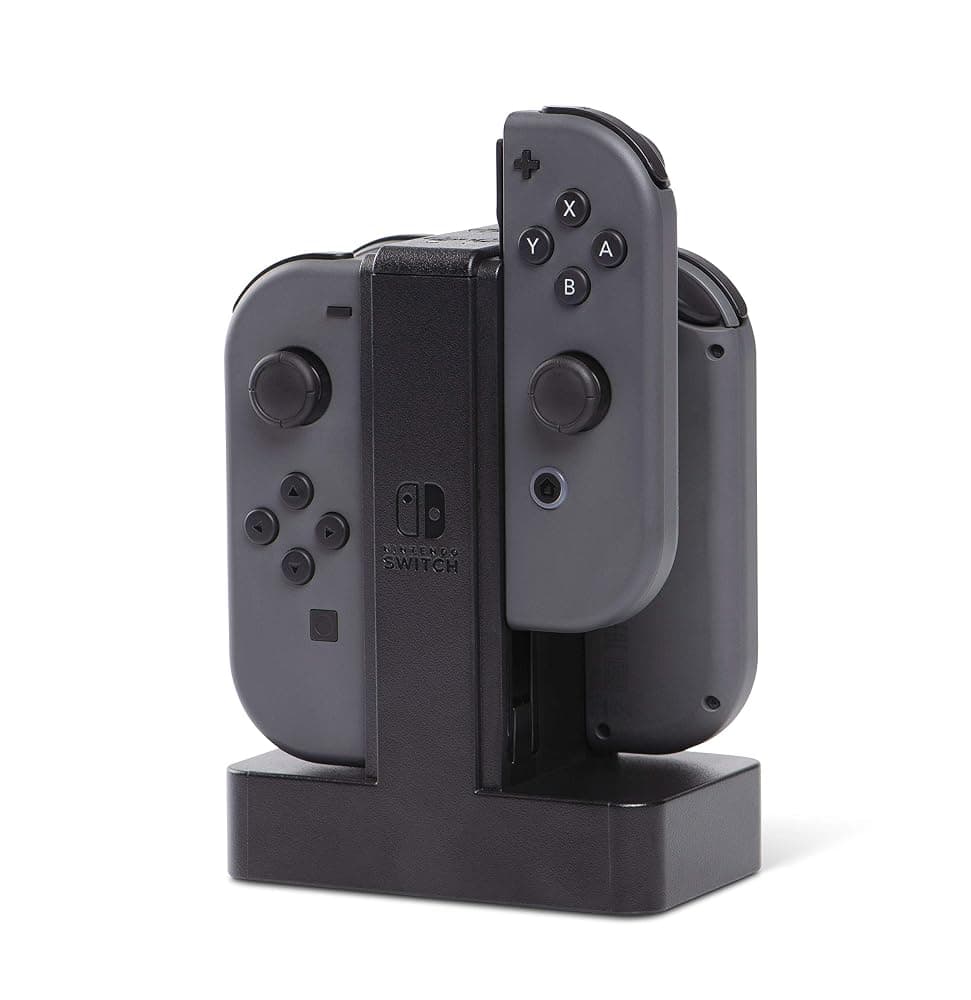
PowerA Wired Charging Station for Nintendo Switch Joy-Con – Charges up to 4 Joy-Con, USB Powered, Nintendo Licensed
Best for: Households keeping original Joy-Con as extra controllers after the old Switch goes
The easy-to-miss problem with keeping your old Joy-Con: they used to charge on the old console, and the Switch 2 has no rails to charge them. If the old Switch is leaving the house, this officially licensed PowerA station charges up to four original Joy-Con at once, with an LED on each slot that turns green when it is full. It is powered by a USB cable rather than its own mains plug, so it needs a USB wall charger or a spare USB port.
Pros
- Charges four original Joy-Con at once
- Officially licensed by Nintendo for Switch
- Small, with a weighted base to sit beside the TV
Cons
- No mains plug in the box, according to the listing
- Original Joy-Con only: Joy-Con 2 do not fit
- Owner feedback on long-term reliability is mixed
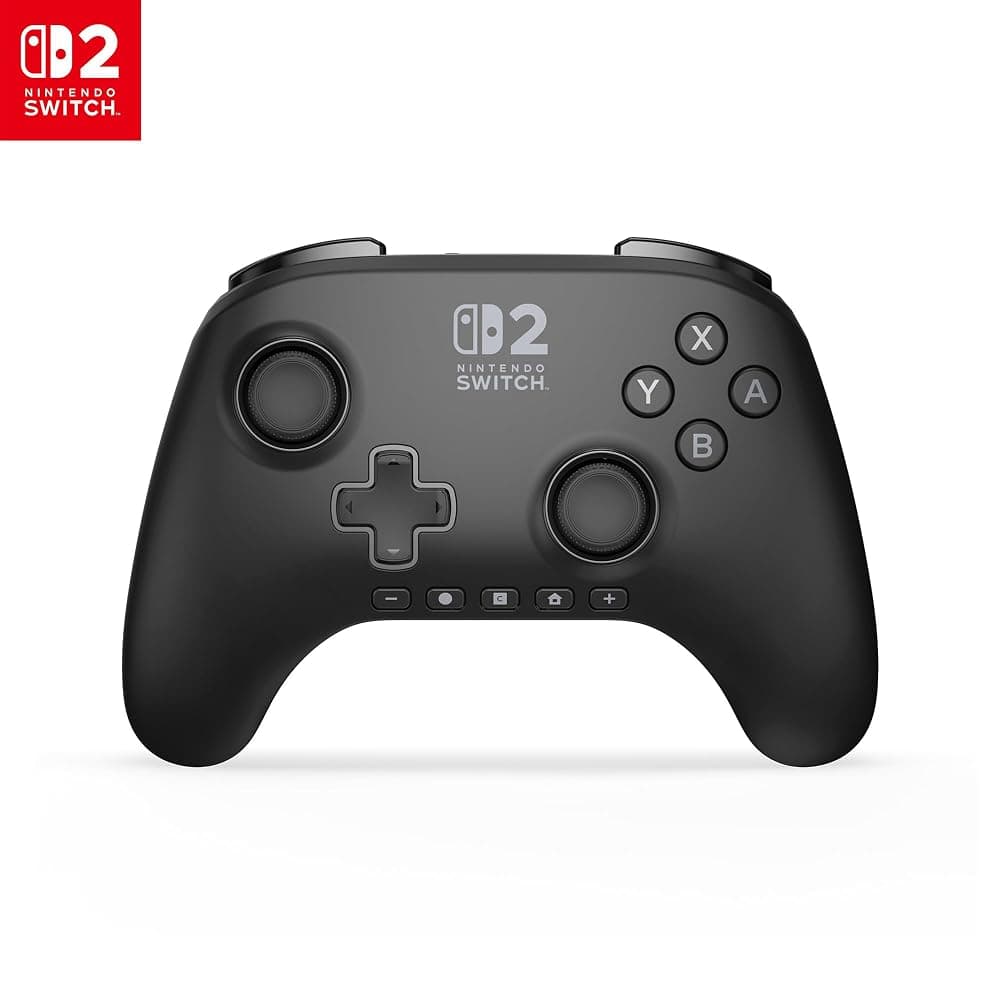
When a new controller does make sense: if your old Joy-Con have stick drift, if you want a C button for GameChat, or if you are short of controllers for four-player games. The PowerA Advantage is officially licensed for Switch 2 with Hall effect sticks and a C button; the 8BitDo Pro 3 suits players who also game on a PC or Steam Deck. Our Switch 2 accessories guide covers both in more detail.
PowerA Advantage Wireless Controller for Nintendo Switch 2 – Officially Licensed, Hall Effect Sticks, C Button (Black)
See today's price on Amazon.ie.
Check price on Amazon.ie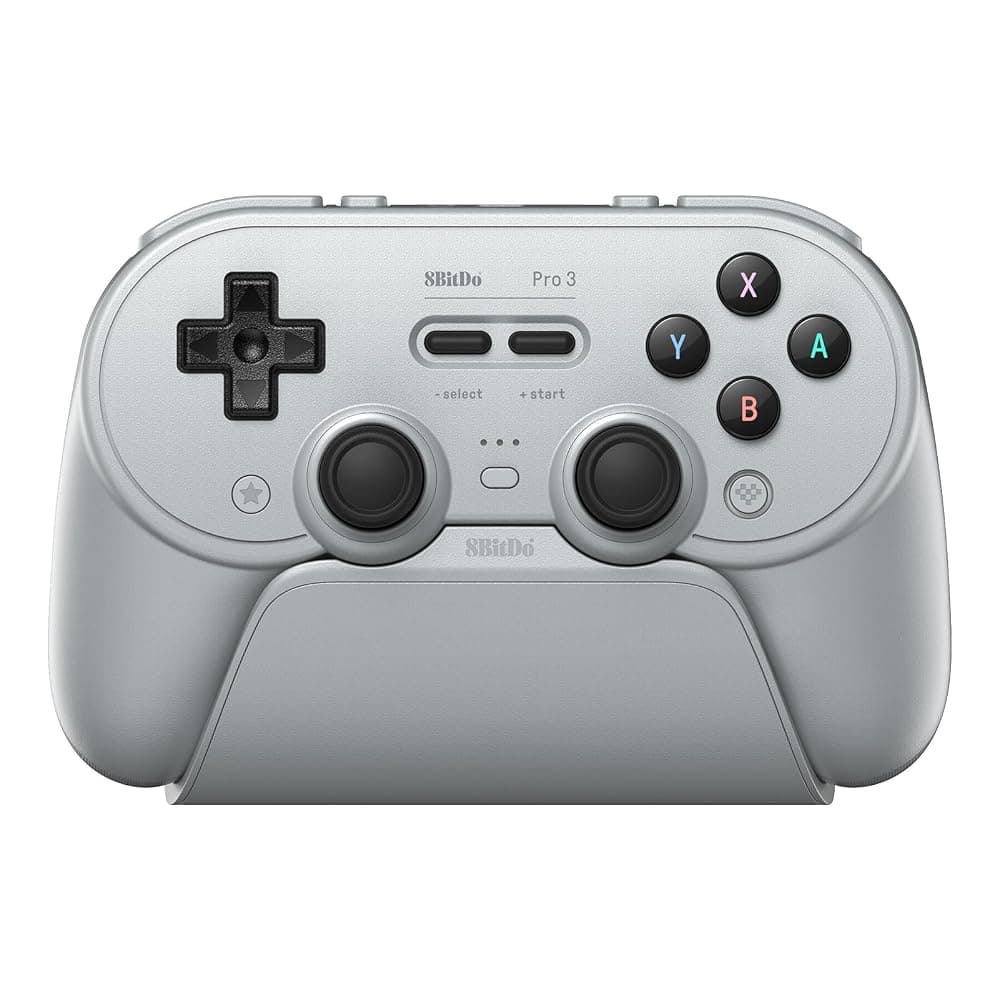
8BitDo Pro 3 Bluetooth Controller with Charging Dock – TMR Sticks, Hall Effect Triggers, for Switch 2, PC & Android (Grey)
See today's price on Amazon.ie.
Check price on Amazon.ieNintendo’s own Switch 2 controllers
Links open an Amazon.ie search filtered to items sold & dispatched by Amazon.ie. Availability changes.
- Search Amazon.ie
Nintendo Switch 2 Pro Controller
Adds GL/GR back buttons, a C button and a headphone jack. Amazon.ie stock of the standard version comes and goes, and special editions are sometimes listed in its place, so check which one you are buying.
- Search Amazon.ie
Joy-Con 2 Charging Grip
The grip in the Switch 2 box does not charge the Joy-Con 2; this one does, while you play on the TV.
Step 6: Docks, chargers and cables
The Switch 2 comes with its own dock, AC adapter and an Ultra High Speed HDMI cable, so the main TV needs nothing new. The original Switch dock does not work with the Switch 2, so keep the old dock, adapter and HDMI cable together with the old console, especially if you are selling it: a buyer will expect them. Nintendo recommends using the Switch 2’s own AC adapter with the Switch 2 dock.
- A second TV (a bedroom, or a holiday home in Kerry): Nintendo’s Switch 2 Dock Set (dock, AC adapter and HDMI cable) is the safe choice. Be wary of cheap third-party docks, some of which have stopped working properly after Switch 2 system updates.
- Charging away from the dock: most decent USB-C Power Delivery chargers will charge the console in handheld mode. A charger of around 45W or more is a sensible choice; a small phone charger will be slow, especially while you play. See our power banks and chargers guide for more.
- Taking the whole set-up with you: if the dock travels too, Nintendo’s All-In-One Carrying Case is built for it.
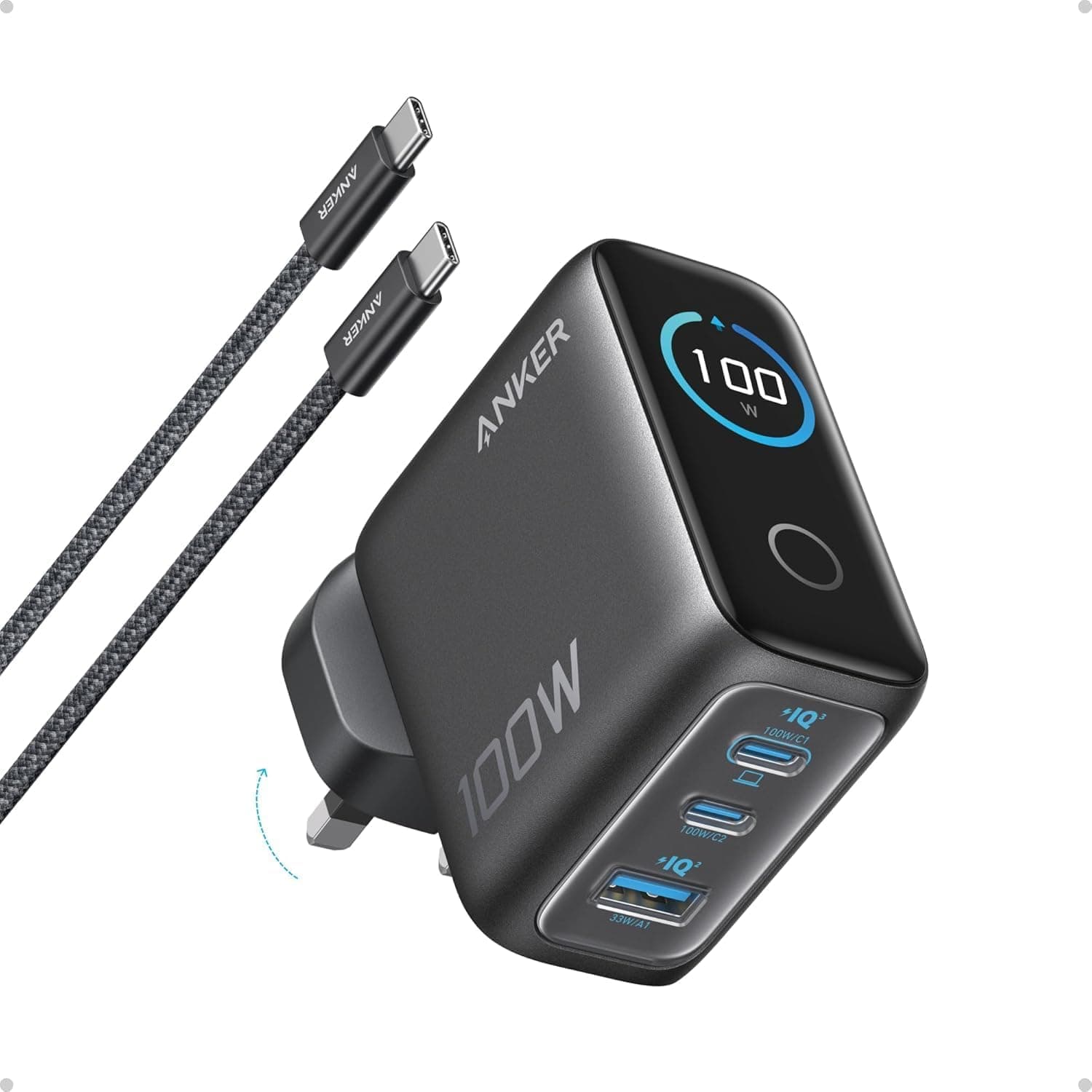
Anker Prime 100W GaN Wall Charger (3-Port Fast Charger for MacBook Pro, iPad, iPhone – Irish 3-Pin)
Best for: A second charging point in a bedroom, a holiday home or a suitcase
A compact GaN wall charger with two USB-C ports and one USB-A, sharing up to 100W. That is plenty for a Switch 2 in handheld mode with power left over for a phone, and with both port types it can also run a USB-powered accessory such as the Joy-Con charging station. Keep it in a bedroom or a travel bag and leave Nintendo’s adapter with the dock.
Pros
- Irish 3-pin plug, no adaptor needed
- Charges the console and a phone at once
- Also charges USB-C laptops
Cons
- Not a replacement for Nintendo’s adapter at the dock
- The 100W is shared when several devices are plugged in
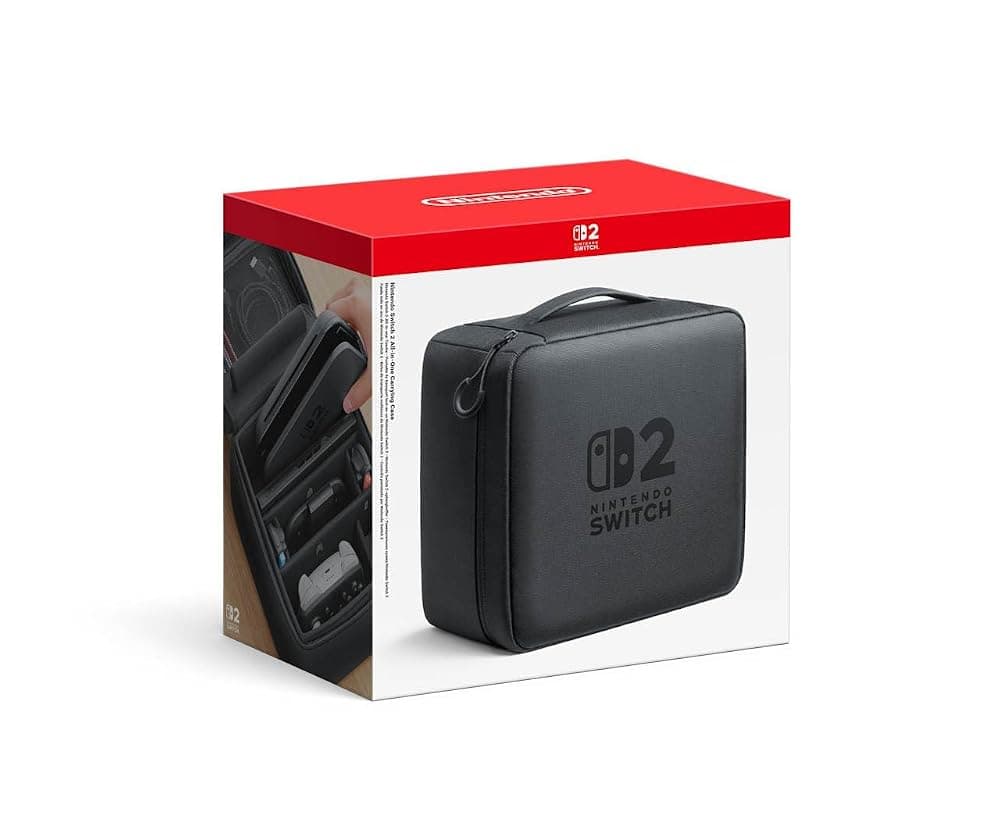
Nintendo Switch 2 All-In-One Carrying Case – Holds the Console, Dock, Joy-Con 2, Cables and up to 6 Game Cards
Best for: Households that move the Switch 2 between TVs or take it on holiday with the dock
Nintendo’s own case carries everything needed to play in TV mode: the console, the dock, the Joy-Con 2, cables and up to six game cards, according to Nintendo. Because the old dock will not work with the Switch 2, this is the tidy way to bring the TV set-up to the grandparents’ for Christmas or to a mobile home in Wexford for the summer. It is bulky (roughly 25cm square and 17cm deep) and costs several times as much as a slim case, so skip it if only the console leaves the house.
Pros
- Official Nintendo case sized for the Switch 2 dock
- Holds the console, dock, cables and six game cards
- Keeps the whole kit together between trips
Cons
- Far bulkier than a console-only case
- Expensive if you never carry the dock
For a second TV
Links open an Amazon.ie search filtered to items sold & dispatched by Amazon.ie. Availability changes.
- Search Amazon.ie
Nintendo Switch 2 Dock Set
Dock, AC adapter and HDMI cable for a second TV. It was not in Amazon.ie’s own stock when we checked; if you buy from another seller, check the adapter has a UK/Irish plug.
Step 7: A case and screen protector that fit
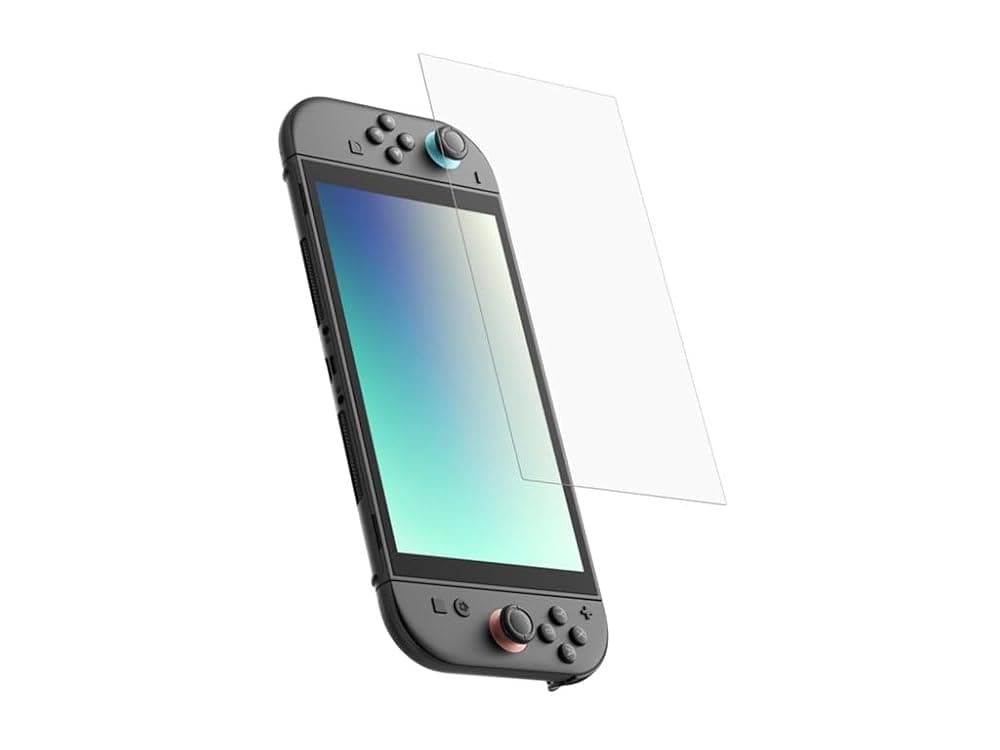
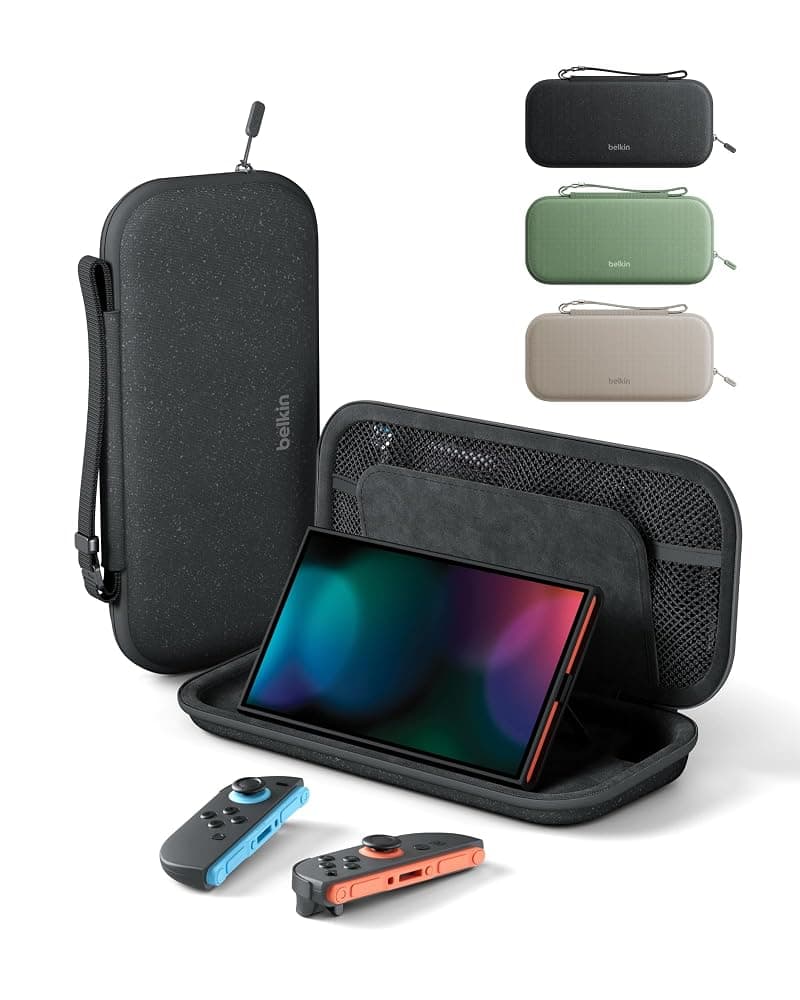
The Switch 2 has a 7.9-inch screen, against 6.2 inches on the original Switch and 7 inches on the OLED model, and the whole console is bigger, so original Switch cases, grips and screen protectors will not fit. Buy accessories that name the Switch 2. Belkin’s tempered glass protector comes with an alignment frame that makes fitting it at home easier, and its travel case has slots for 10 game cards and a hidden pocket for an AirTag. Together they usually cost well under €50. Our Switch 2 accessories guide compares more cases.
Belkin Gaming TemperedGlass Anti-Reflective Screen Protector for Nintendo Switch 2 with Easy Align Frame
See today's price on Amazon.ie.
Check price on Amazon.ieBelkin Gaming Nintendo Switch 2 Travel Case with AirTag Holder and 10 Game Card Slots (Black)
See today's price on Amazon.ie.
Check price on Amazon.ieStep 8: Decide what to do with the old Switch
Keep it in the family. A second console means two children can play at the same time. Give each child their own user linked to their own child account in your family group, and set up Nintendo’s free Parental Controls app for the old console as well as the new one, since the settings apply console by console. Leave at least one pair of original Joy-Con with it: Nintendo does not support Joy-Con 2 on the original Switch. Some Switch 2 games support GameShare, which lets nearby consoles join in from one copy, and Nintendo says some of those games can share with an original Switch too; check each game’s details. If the old console is going to a younger child, our screen-free gifts for kids can balance it out under the tree.
Sell it. A complete, clean console with its dock, adapter, HDMI cable and Joy-Con sells more easily. Before you hand it over:
- Confirm the transfer has finished: open a couple of your most-played games on the Switch 2 and check the saves are there.
- Take out the microSD card. Keep it for a phone or camera, or format it if it is going with the console.
- On the old Switch, go to System Settings > System > Formatting Options > Initialise Console. This removes all users, data and settings. Nintendo’s support site lists anything else to do before you pass a console on, so check it first.
- Sell through an Irish classifieds site such as DoneDeal or a local marketplace app. Meet somewhere public, and only hand over the console once a bank transfer has actually arrived.
Trade it in. Games shops and second-hand tech shops offer trade-in for cash or store credit. It is quicker and safer than selling privately, but usually pays less, so get a couple of quotes. Recycle it if it is broken: electrical goods and batteries should not go in the household bin, and you can drop them off free at local recycling centres and many shops that sell electrical goods (WEEE Ireland lists drop-off points).
What the upgrade costs, beyond the console
The console is the big spend. After that, what you need depends on what you already own, and an upgrader with a drawer of controllers can get away with very little.
| Item | Do you need it? | Typical budget |
|---|---|---|
| microSD Express card (256GB) | Yes, if you buy digital games or Game-Key Cards | €50–€100 |
| Screen protector | Recommended for handheld play | Under €25 |
| Travel case | If the console leaves the house | Under €25 |
| Joy-Con charging dock | If you keep original Joy-Con after the old Switch goes | Under €25 |
| Second controller | Only if you are short: old ones pair | Under €50 for a licensed third-party pad |
| Spare USB-C charger | For travel or a second room | €50–€100 for a 100W multi-port |
| Nintendo Switch Online | For online play and GameChat; you may already have it | Under €25 a year for an individual plan; Family and Expansion Pack cost more |
| Switch 2 Edition upgrade packs | Optional, game by game | Varies by game |
Not bought the console yet? Amazon.ie’s own stock of the Switch 2 comes and goes, and it was not listed as sold by Amazon.ie when we checked, so use the search links below and look at the seller in the buy box before you order. Black Friday falls on 27 November 2026, when accessories such as cases and storage cards are often reduced.
Haven’t bought the Switch 2 yet?
Links open an Amazon.ie search filtered to items sold & dispatched by Amazon.ie. Availability changes.
- Search Amazon.ie
Nintendo Switch 2 console
The standard console with two Joy-Con 2, a grip, the dock, an AC adapter and cables. Check the seller is Amazon.ie so the adapter has a UK/Irish plug and there are no import charges.
- Search Amazon.ie
Nintendo Switch 2 + Mario Kart World bundle
A bundle with a launch game, while it is still sold. Compare it with buying the console and game separately, as the saving varies.
Common upgrade mistakes
- Skipping the system transfer at setup and relying on cloud saves, which some popular games do not support.
- Wiping or selling the old Switch too soon, before you have checked your saves arrived on the new console.
- Buying an ordinary microSD card. Cards sold “for gaming” or “for Switch” are often standard cards that cannot hold Switch 2 games.
- Selling the only way to charge your original Joy-Con along with the old console.
- Buying controllers you already own. Original Pro Controllers and Joy-Con pair with the Switch 2.
- Reusing the old dock, case or screen protector. None of them fit the Switch 2.
- Ordering from a seller outside the EU, which can mean import VAT, handling fees and a charger without an Irish/UK plug. Our guide to Amazon customs charges explains how to check.
Buying a Switch 2 for Christmas? If the old Switch belongs to the same child, set up the new one and run the transfer before you wrap it, and order well before Amazon.ie’s last delivery dates. Our Christmas gift guide and gaming guides have more ideas, and you can browse Computers & Tech for Amazon.ie stock.