What a new Switch 2 actually needs
The Nintendo Switch 2 comes with almost everything you need to start playing: the console, a pair of Joy-Con 2 controllers and a grip, the dock, an AC adapter, a USB-C cable and an HDMI cable. What it lacks is room for a big games library, protection for its 7.9-inch screen and a second full-size controller. Plenty of add-ons sold as “essential” are not, so this is the order we would buy in:
- A microSD Express card, if you buy digital games or Game-Key Cards. Most owners end up needing one, and it is the accessory people most often get wrong.
- A screen protector and a case, if the console leaves the house or children play it handheld.
- A second controller, if you play with others on the TV. Each Joy-Con 2 can be held sideways as a single controller in many multiplayer games, so this can wait.
- A spare charger or power bank, for travel. Leave the in-box adapter plugged into the dock.
- A headset, for GameChat, online play or late-night gaming while the house is asleep.
Every product we pick here is sold and dispatched by Amazon.ie, so there are no customs charges or An Post handling fees at the door, chargers come with an Irish/UK 3-pin plug, and you have EU consumer rights. Search links are filtered to Amazon.ie stock, but check the seller in the buy box before you order. Here is why we only list Amazon.ie stock. For more gaming guides, see the Gaming category.
Storage: why the Switch 2 needs microSD Express
The Switch 2 has 256GB of built-in storage, some of which the system itself uses. It fills faster than you would expect: Switch 2 games are often much larger than original Switch games, and Game-Key Cards (boxed games that contain a key rather than the full game) download the whole game to storage even though you bought a physical copy. To add space, the Switch 2 needs a microSD Express card, which uses a much faster PCIe interface than ordinary microSD.
| Card type | Switch 2 games | Original Switch, phones, cameras | How to spot it |
|---|---|---|---|
| microSD Express | Yes (install and play) | Yes, at ordinary UHS-I speeds | “microSD Express” in the name, EX logo on the card |
| Ordinary microSDXC / microSDHC | No (screenshots and videos only) | Yes | No EX logo or “Express” in the name (it may still show U3, V30 or A2) |
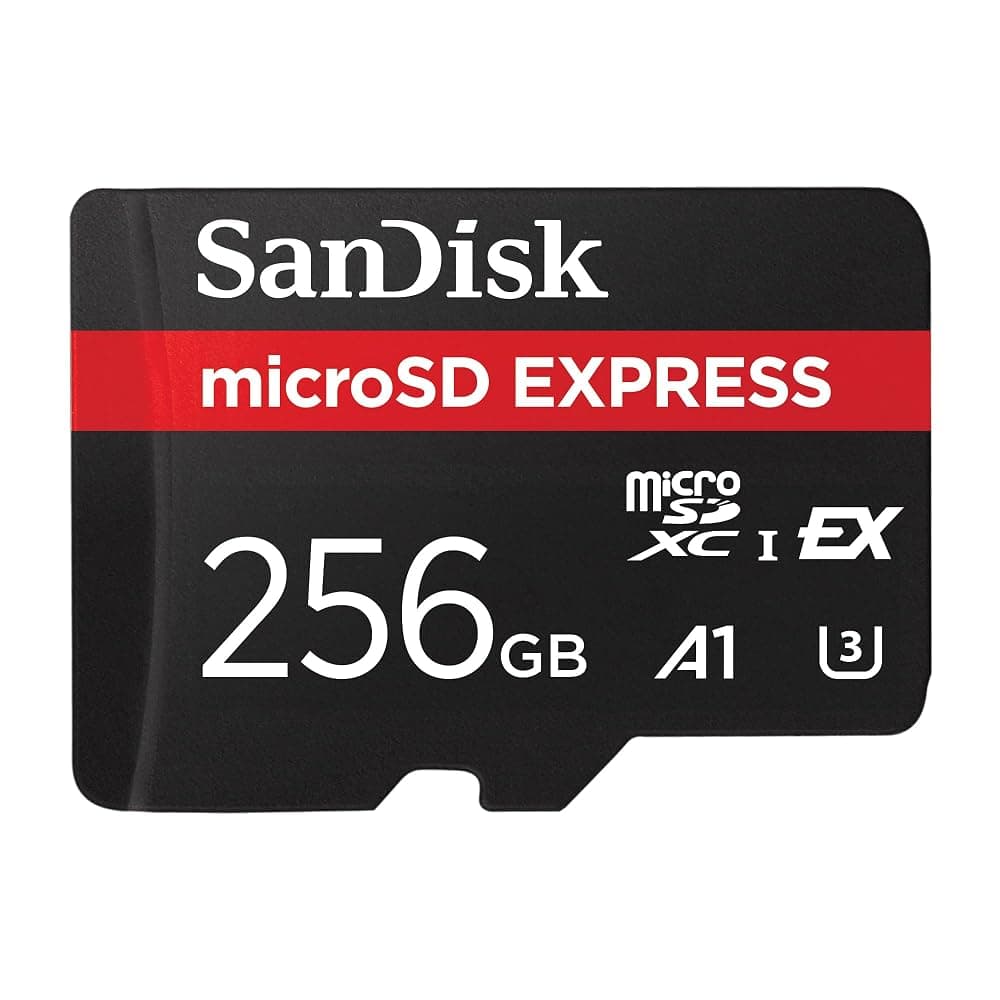
SanDisk microSD Express Card 256GB for Nintendo Switch 2 – Up to 880MB/s Read, 650MB/s Write (SDSQXFN-256G)
Best for: Anyone who buys digital games or Game-Key Cards
A 256GB card doubles the console’s built-in storage, enough for most households that mix physical and digital games. SanDisk quotes up to 880MB/s read and 650MB/s write, measured with its own PRO-READER; inside the console the Switch 2 sets the pace, so treat the headline speed as a sign of the standard rather than what you will see on screen. The card also works at normal speeds in ordinary microSD devices if it is ever moved to a phone or camera, and SanDisk makes a 512GB version if you buy mostly digital games.
Pros
- microSD Express, so the Switch 2 can install and run games from it
- Doubles the 256GB of built-in storage
- Works at normal speeds in ordinary microSD devices too
Cons
- microSD Express costs noticeably more per gigabyte than ordinary microSD
- Copying files at full speed on a PC needs an SD Express reader, sold separately
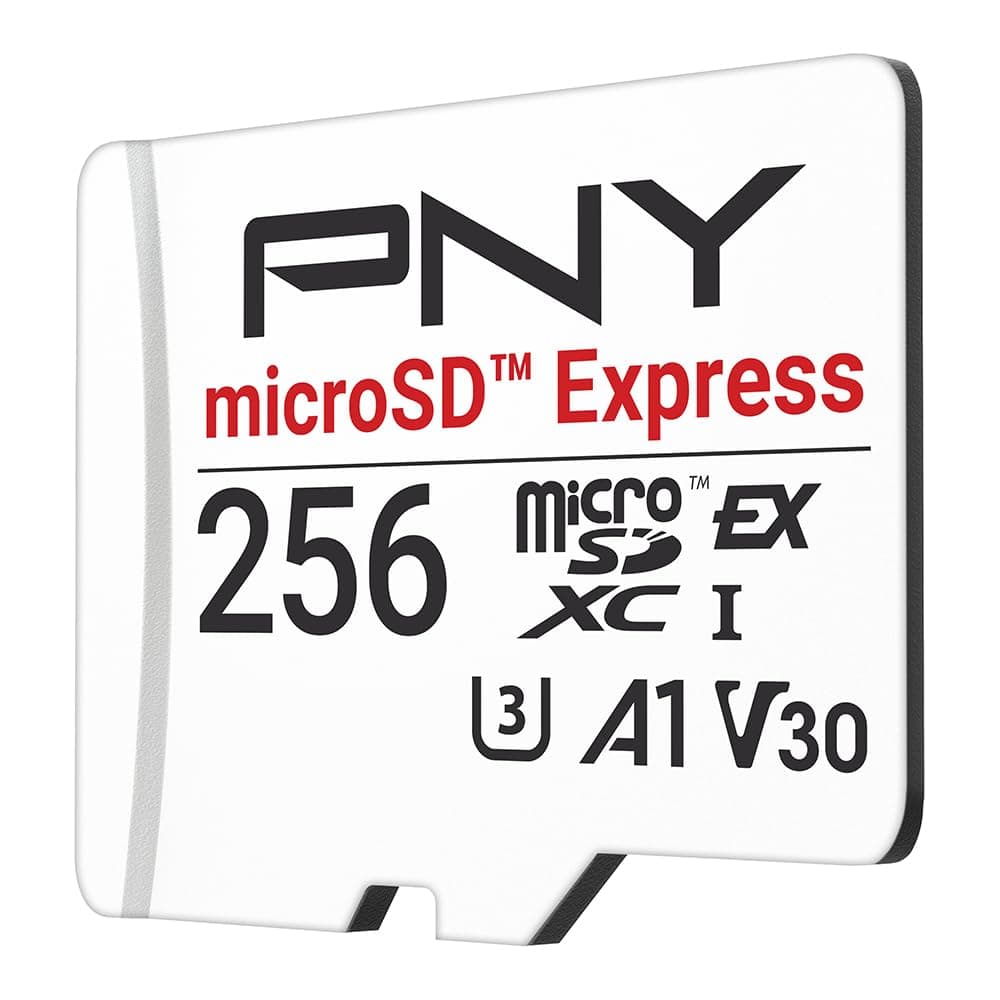
PNY microSD Express 256GB Card for Nintendo Switch 2 – Up to 890MB/s Read, 750MB/s Write (P-SDU256P31880EXP-GE)
Best for: Price comparison against the SanDisk, or a card for a second console
PNY’s 256GB microSD Express card is a like-for-like alternative, quoted at up to 890MB/s read and 750MB/s write and backwards compatible with UHS-I and UHS-II devices. As with the SanDisk, the console rather than the card sets the pace in-game, so there is little reason to pay more for one brand over the other: buy whichever is cheaper on the day.
Pros
- Genuine microSD Express card for Switch 2
- Same 256GB capacity as our main pick
Cons
- A less familiar brand than SanDisk
- Headline speeds only apply with an SD Express reader
Other microSD Express cards to compare
Links open an Amazon.ie search filtered to items sold & dispatched by Amazon.ie. Availability changes.
- Search Amazon.ie
Samsung P9 Express microSD
Samsung’s microSD Express card. Whether it is sold by Amazon.ie itself varies, so check the seller in the buy box.
- Search Amazon.ie
Lexar PLAY PRO microSD Express
Lexar’s microSD Express range, worth comparing if you want more than 256GB for a large digital library.
Which size? 256GB suits most households. Go for 512GB or more if you buy nearly everything digitally or a family shares one console; 128GB fills quickly with Switch 2 game sizes. You can move games between the console and the card in system settings and redownload anything you have bought, so you do not have to get the size perfect first time.
The Dublin Drop — Friday Deals
Price drops on Amazon.ie stock, once a week. No customs fees, no spam.
Free. No spam. Unsubscribe anytime. We only send verified domestic deals.
Cases and screen protectors
The Switch 2 is bigger than the original (a 7.9-inch screen against 6.2 inches on the original Switch and 7 inches on the OLED model), so original Switch cases and screen protectors will not fit. Buy accessories that name the Switch 2. A case protects the console in a bag; tempered glass protects the screen while you play and from the scuffs of docking. Most owners who take the console out want both, and together they usually cost well under €50.
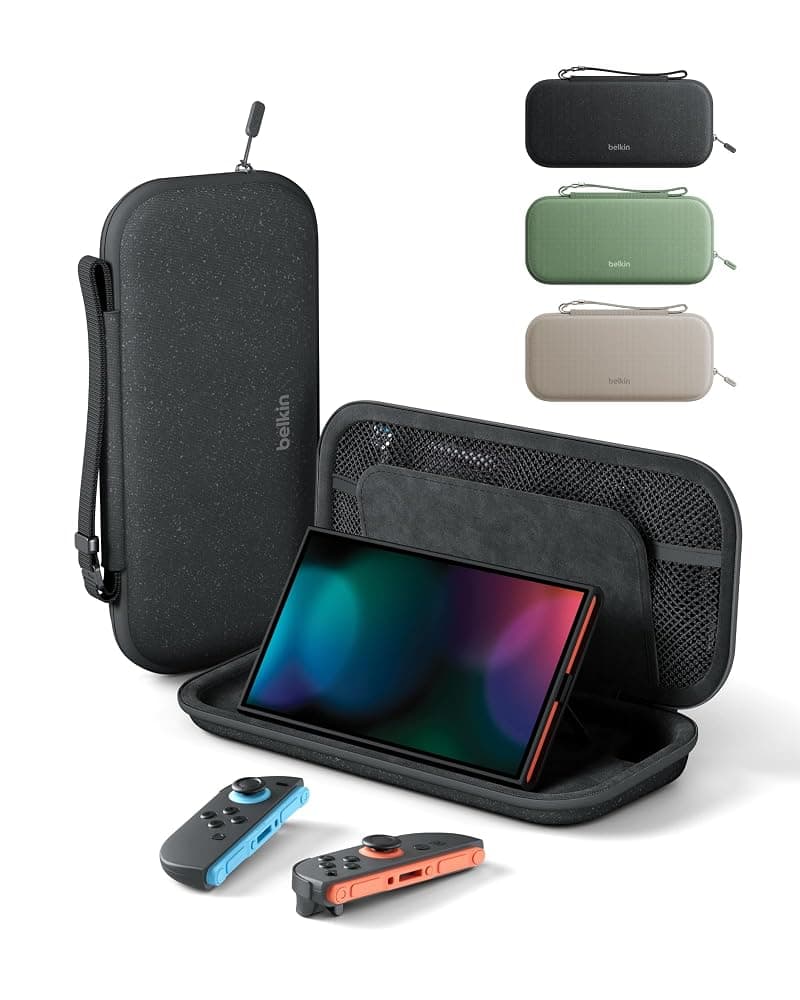
Belkin Gaming Nintendo Switch 2 Travel Case with AirTag Holder and 10 Game Card Slots (Black)
Best for: School bags, commutes, flights and trips to the grandparents
A compact case shaped for the Switch 2, with a velvet lining, shock-absorbing materials, a water-resistant polyester outer for Irish showers, and slots for 10 game cards. The wristlet handle helps on the bus or in an airport queue, and a hidden pocket takes an Apple AirTag (sold separately, and only useful with an iPhone) so a forgotten case can be tracked. Belkin does not list space for the charger or extra controllers, so pack those separately.
Pros
- Made for the Switch 2, not a stretched original Switch case
- Storage for 10 game cards and a hidden AirTag pocket
- Water-resistant outer, no-snag zips and Belkin 2-year coverage
Cons
- No listed room for the charger, dock or spare controllers
- The AirTag pocket is only useful to iPhone owners
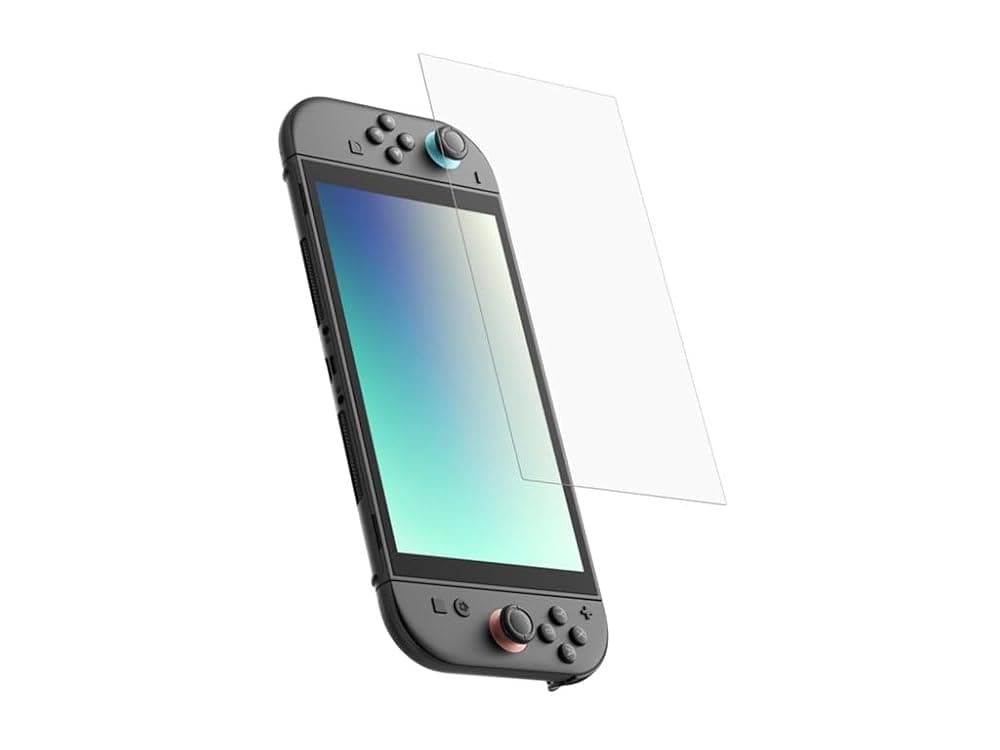
Belkin Gaming TemperedGlass Anti-Reflective Screen Protector for Nintendo Switch 2 with Easy Align Frame
Best for: Every Switch 2 played handheld, especially by children
Tempered glass rated 9H on the pencil hardness scale takes the scratches instead of the screen, which matters most with younger players, sand and grit, or a dock used several times a day. Belkin’s is cut for the Switch 2, adds anti-reflective and anti-fingerprint treatments, and comes with an Easy Align frame that takes most of the guesswork out of fitting. There is one protector in the pack, so take your time.
Pros
- Cut for the Switch 2 screen
- Easy Align frame for bubble-free fitting
- Anti-reflective and anti-fingerprint coatings
Cons
- Single pack, so no spare if fitting goes wrong
- Multi-packs from lesser-known brands cost less per protector
Other cases worth a look
Links open an Amazon.ie search filtered to items sold & dispatched by Amazon.ie. Availability changes.
- Search Amazon.ie
Nintendo Switch 2 Carrying Case & Screen Protector
Nintendo’s own case comes with a screen protector, covering both jobs in one box. Check the listing is sold by Amazon.ie.
- Search Amazon.ie
Turtle Beach PlayTrek travel case
Turtle Beach’s 2-in-1 case for the Switch 2. Check the listing for game card storage and exactly what the 2-in-1 design includes before you buy.
- Search Amazon.ie
Belkin Switch 2 Charger Case with 10K Power Bank
A carry case with a removable 10,000mAh power bank, so the console can top up in the bag on long journeys. Listed in more than one colour; stock varies by colour.
- Search Amazon.ie
HORI officially licensed Switch 2 cases
Officially licensed cases from a long-standing Nintendo accessory maker. Check the listing names the Switch 2, not the original Switch.
Controllers: Pro Controller, Joy-Con 2 and cheaper alternatives
Check the drawer first: original Switch Pro Controllers and Joy-Con pair wirelessly with the Switch 2, so a family upgrading may already have enough for Mario Kart night. Original Joy-Con will not attach to the new console, and neither older controller has the C button for GameChat, but they work. For a new controller, Nintendo’s Switch 2 Pro Controller is the most complete option; officially licensed third-party pads cost much less.
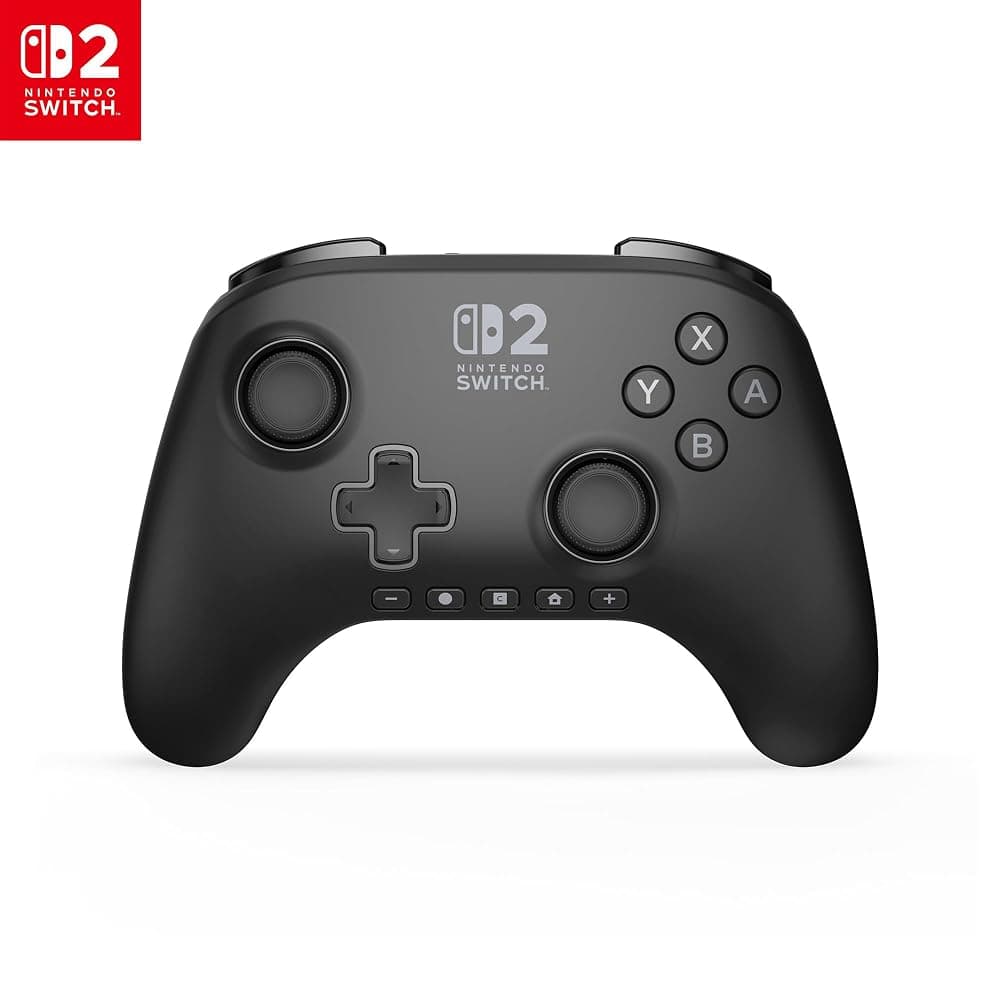
PowerA Advantage Wireless Controller for Nintendo Switch 2 – Officially Licensed, Hall Effect Sticks, C Button (Black)
Best for: A second or third controller for family and party games
Officially licensed for Switch 2, with the C button for GameChat, motion controls and Hall effect thumbsticks, which use magnetic sensors rather than contacts that wear and are designed to resist stick drift. Its mappable Advanced Gaming Buttons can be reprogrammed mid-game without going into system settings, and PowerA rates the battery at up to 30 hours, charged over a 3m USB-C cable that reaches the couch. PowerA states that it does not support HD rumble or amiibo (NFC), and it does not list a headphone jack: those are the main things you give up against Nintendo’s Pro Controller.
Pros
- Officially licensed, with a C button for GameChat
- Hall effect sticks designed to resist drift
- Up to 30 hours per charge (PowerA figure), with a long USB-C cable
Cons
- No HD rumble or amiibo support (PowerA says so on the listing)
- No headphone jack listed, unlike Nintendo’s Pro Controller
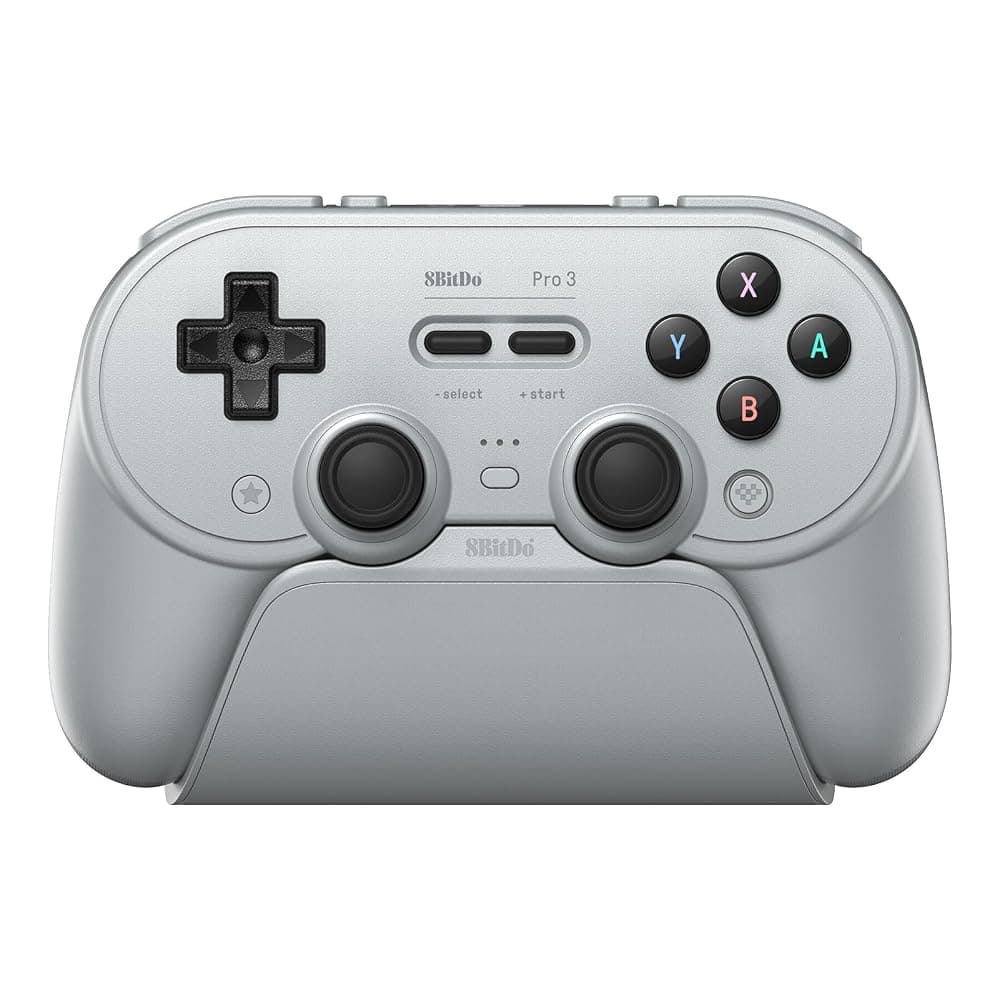
8BitDo Pro 3 Bluetooth Controller with Charging Dock – TMR Sticks, Hall Effect Triggers, for Switch 2, PC & Android (Grey)
Best for: Players who game on a PC or handheld as well as the Switch 2
If the same controller will also be used with a gaming PC, Steam Deck or Android phone, the 8BitDo Pro 3 is the more flexible choice. It connects to all of them over Bluetooth, the 2.4G adapter in the box or a USB cable, the magnetic ABXY buttons swap between Nintendo and Xbox layouts, and it has TMR sticks, triggers that switch between Hall effect travel and short tactile clicks, two back buttons, extra L4/R4 bumpers and three profiles. 8BitDo says vibration and motion control work on Switch and Steam only, and a charging dock comes in the box. It does not list a C button or amiibo reader.
Pros
- Works with Switch 2, original Switch, PC, Apple, SteamOS and Android
- Charging dock included
- Back buttons and switchable trigger modes
Cons
- No GameChat C button or amiibo reader listed
- Costs more than the PowerA if you only play on Switch
Nintendo’s own controllers
Links open an Amazon.ie search filtered to items sold & dispatched by Amazon.ie. Availability changes.
- Search Amazon.ie
Nintendo Switch 2 Pro Controller
Adds GL/GR back buttons, a C button and a 3.5mm headphone jack. Amazon.ie stock of the standard version comes and goes, and special editions are sometimes listed in its place, so check which version you are buying.
- Search Amazon.ie
Joy-Con 2 pair
Extra Joy-Con 2 attach magnetically and work as a mouse in games that support it; a second pair lets four players each hold one.
- Search Amazon.ie
Joy-Con 2 Charging Grip
The grip in the box does not charge the controllers; this one keeps them topped up while you play on the TV.
Charging, power banks and docks
Keep the Nintendo AC adapter from the box plugged into the dock: Nintendo recommends its own Switch 2 adapter for TV mode, and third-party chargers do not always power the dock properly. Away from the TV, any decent USB-C Power Delivery charger will charge the console, but 45W or more charges at a sensible pace, while a small 20W phone charger will be slow, especially while you are playing. Nintendo quotes roughly 2 to 6.5 hours of battery life depending on the game, so a power bank is worth having for long journeys.
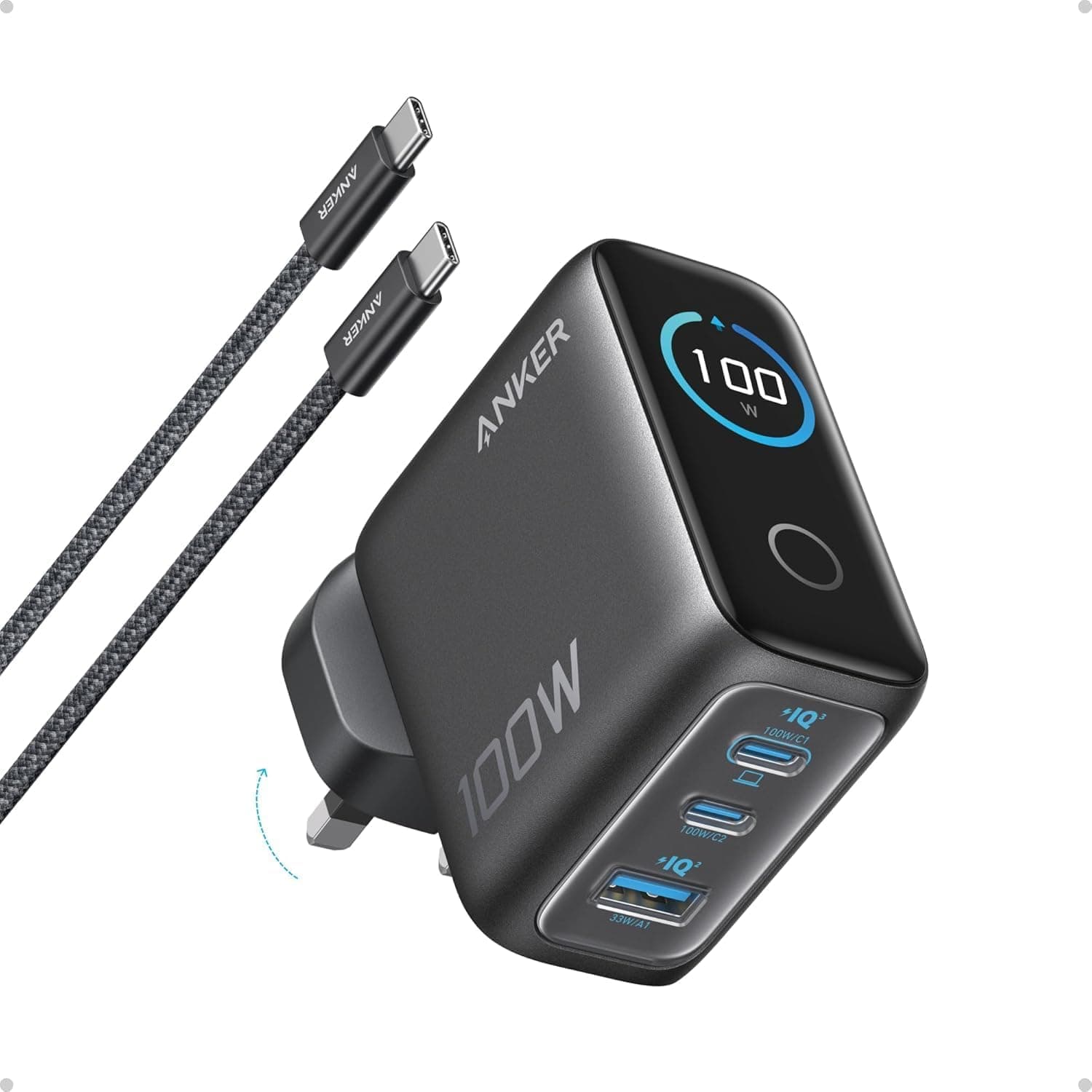
Anker Prime 100W GaN Wall Charger (3-Port Fast Charger for MacBook Pro, iPad, iPhone – Irish 3-Pin)
Best for: A second charging point in a bedroom, a holiday home or a travel bag
A compact GaN wall charger with a moulded Irish 3-pin plug and two USB-C ports plus one USB-A, sharing up to 100W. That is plenty for a Switch 2 in handheld mode with power left over for a phone, and it charges USB-C laptops too, so it can replace several chargers in a travel bag. Keep it in a bedroom, a holiday home or your luggage, and leave Nintendo’s adapter with the dock.
Pros
- Irish 3-pin plug, no adaptor needed
- Charges the console and a phone at once
- Also charges USB-C laptops
Cons
- Not a replacement for the Nintendo adapter at the dock
- The 100W is shared when several devices are plugged in
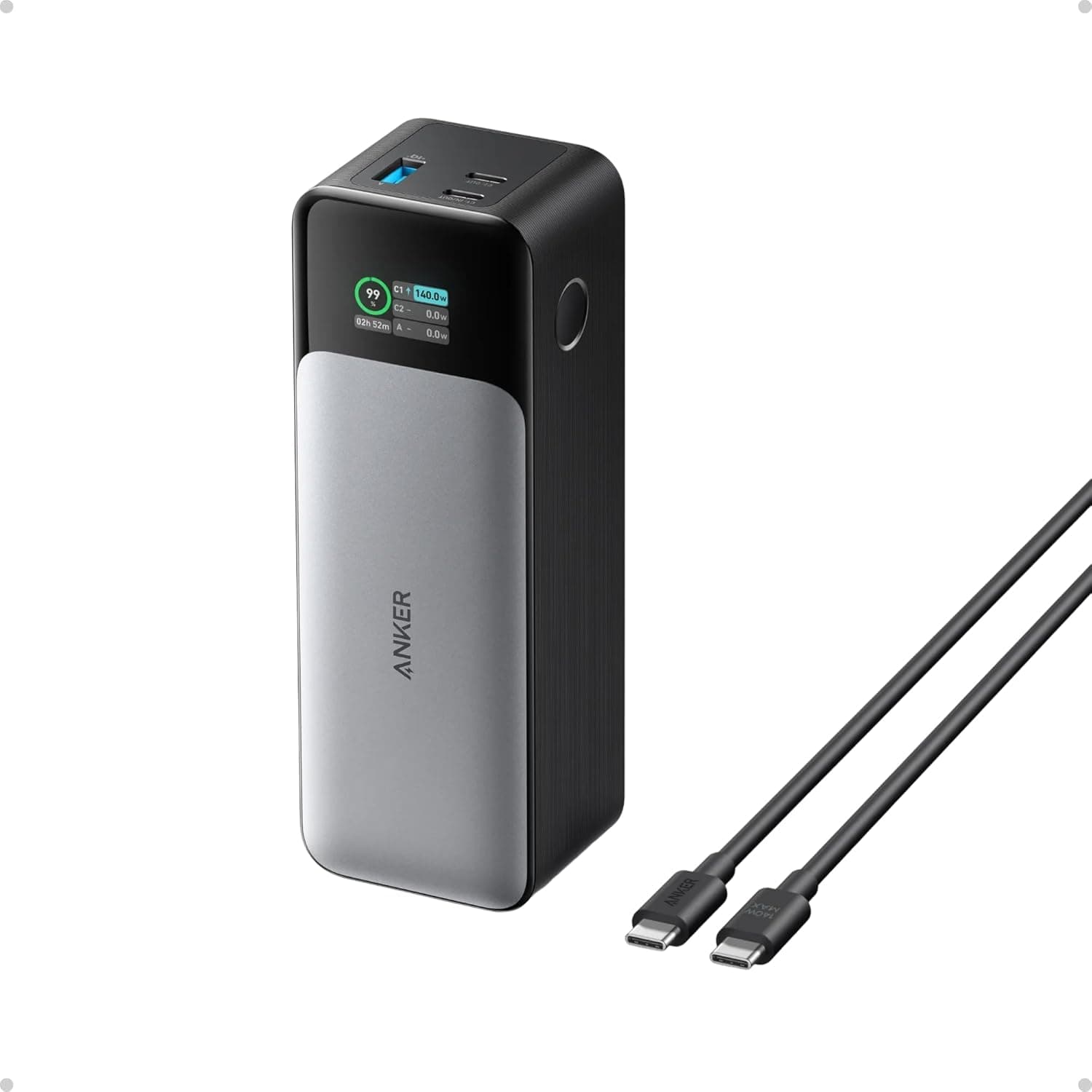
Anker 737 Power Bank (PowerCore 24K) 140W 3-Port Portable Charger with Smart Digital Display
Best for: Flights, ferries, long car journeys and power cuts
A 24,000mAh power bank with up to 140W over USB-C, so it can charge a Switch 2 at full speed with plenty in reserve, and its screen shows how much power is going in and out. It is heavy for a pocket, but it covers a flight to the Canaries or a long drive to Kerry. Power banks must go in hand luggage, not checked bags, and airline rules on using them on board vary, so check before you fly.
Pros
- Enough capacity to recharge a Switch 2 more than once
- Fast USB-C output with a live wattage display
Cons
- Heavy and chunky
- More than you need for a short commute
For a school bag or a day out, a lighter bank is easier to carry. The INIU Ultra Mini packs 10,000mAh into a 160g body with up to 45W over USB-C PD, enough for a decent top-up rather than several full charges.
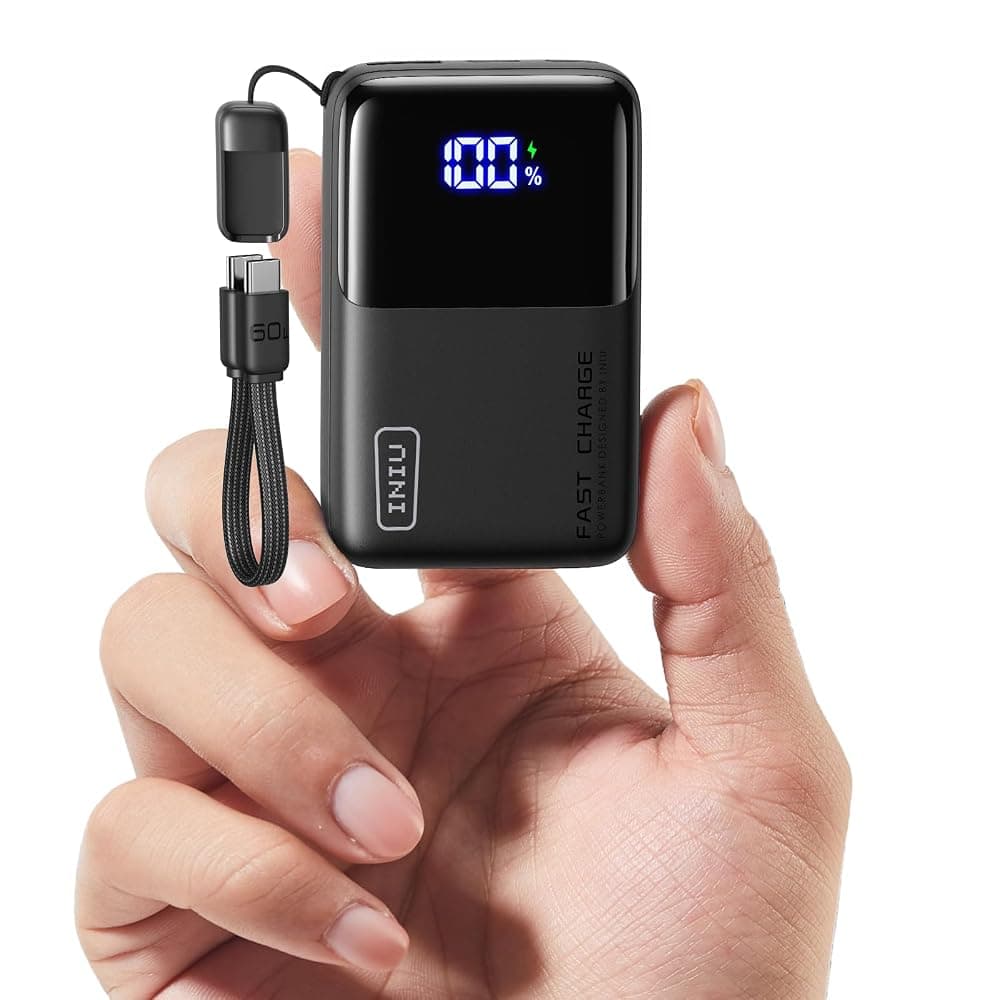
INIU Ultra Mini 10,000mAh 45W Power Bank – USB-C PD, 3 Ports, Detachable USB-C Lanyard Cable
See today's price on Amazon.ie.
Check price on Amazon.ieFor more chargers and batteries, see our power banks and chargers guide or browse Computers & Tech.
Headsets and GameChat
The Switch 2 has a built-in microphone for GameChat, Nintendo’s voice and video chat (which needs a Nintendo Switch Online membership), so a headset is not essential. It helps in a busy house, for online games, and for playing late without waking anyone. There are three ways to connect one:
- Wired 3.5mm. The simplest and most dependable: plug into the headphone jack on top of the console in handheld mode, or into Nintendo’s Pro Controller on the TV. No batteries, no pairing, and the microphone works.
- USB-C wireless dongle. Many multi-platform wireless headsets come with a small USB-C transmitter that plugs into the console. Check the listing names Switch 2 support.
- Bluetooth. Fine for listening, but do not rely on a Bluetooth headset’s microphone for GameChat, and expect a little audio delay, which matters most in rhythm and fast action games.
Three headsets from our gaming headsets guide suit a Switch 2. The Turtle Beach Recon 70 is a low-cost wired 3.5mm headset with a flip-to-mute mic, a sensible first headset for children. The SteelSeries Arctis Nova 1 is also wired but lighter, with fabric memory foam cushions for longer sessions. The SteelSeries Arctis Nova 5 is wireless, with a small USB-C dongle that works with the Switch 2 and a PC or PS5, plus Bluetooth for a phone.
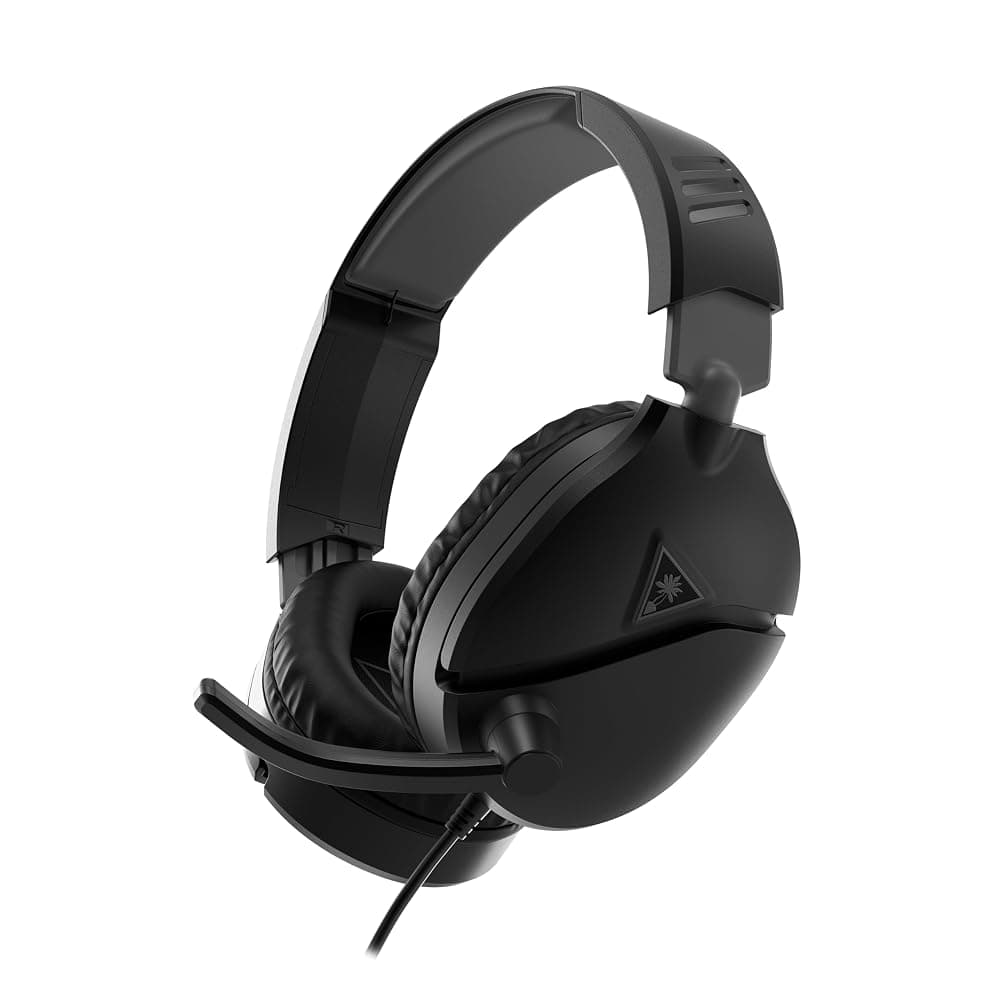
Turtle Beach Recon 70 Wired Gaming Headset for PC, PS5, Xbox & Switch – 3.5mm, Flip-to-Mute Mic, 40mm Speakers (Black)
See today's price on Amazon.ie.
Check price on Amazon.ie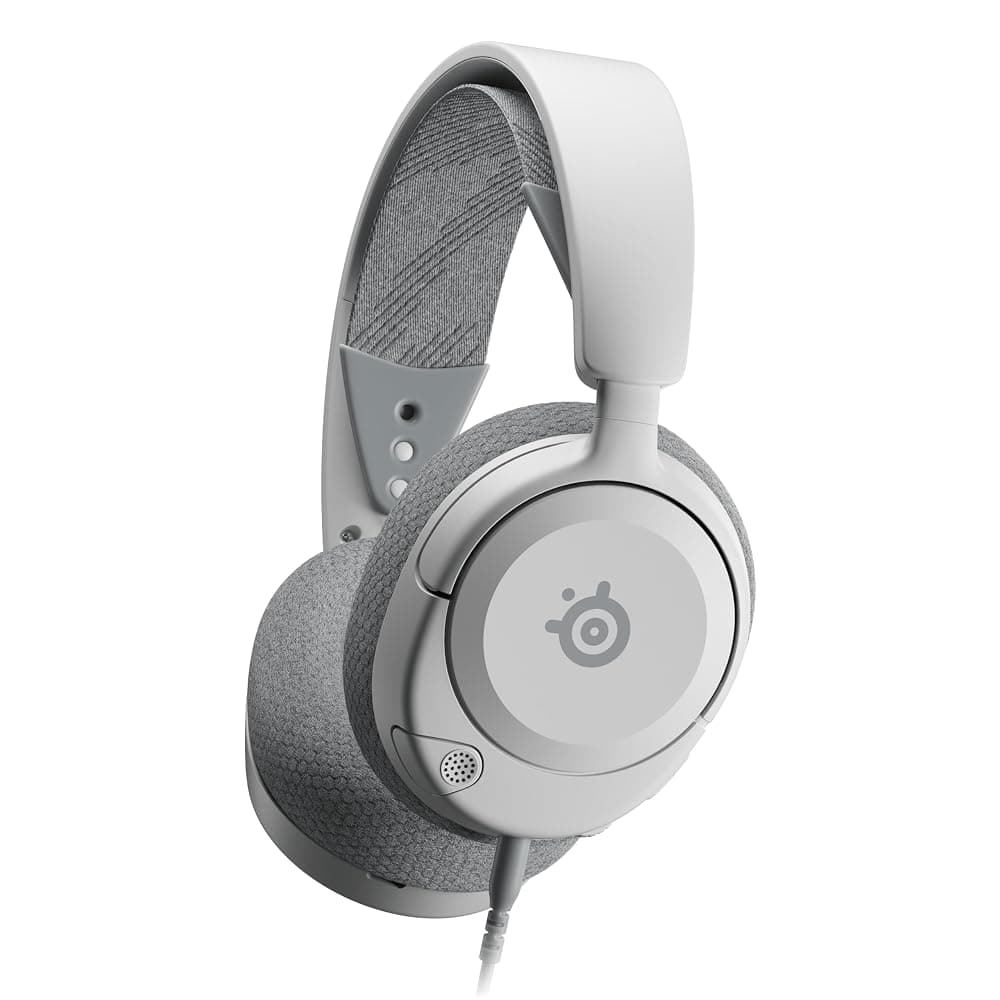
SteelSeries Arctis Nova 1 Wired Gaming Headset – Hi-Fi Drivers, 360° Spatial Audio, AirWeave Memory Foam Cushions, 3.5mm (White)
See today's price on Amazon.ie.
Check price on Amazon.ie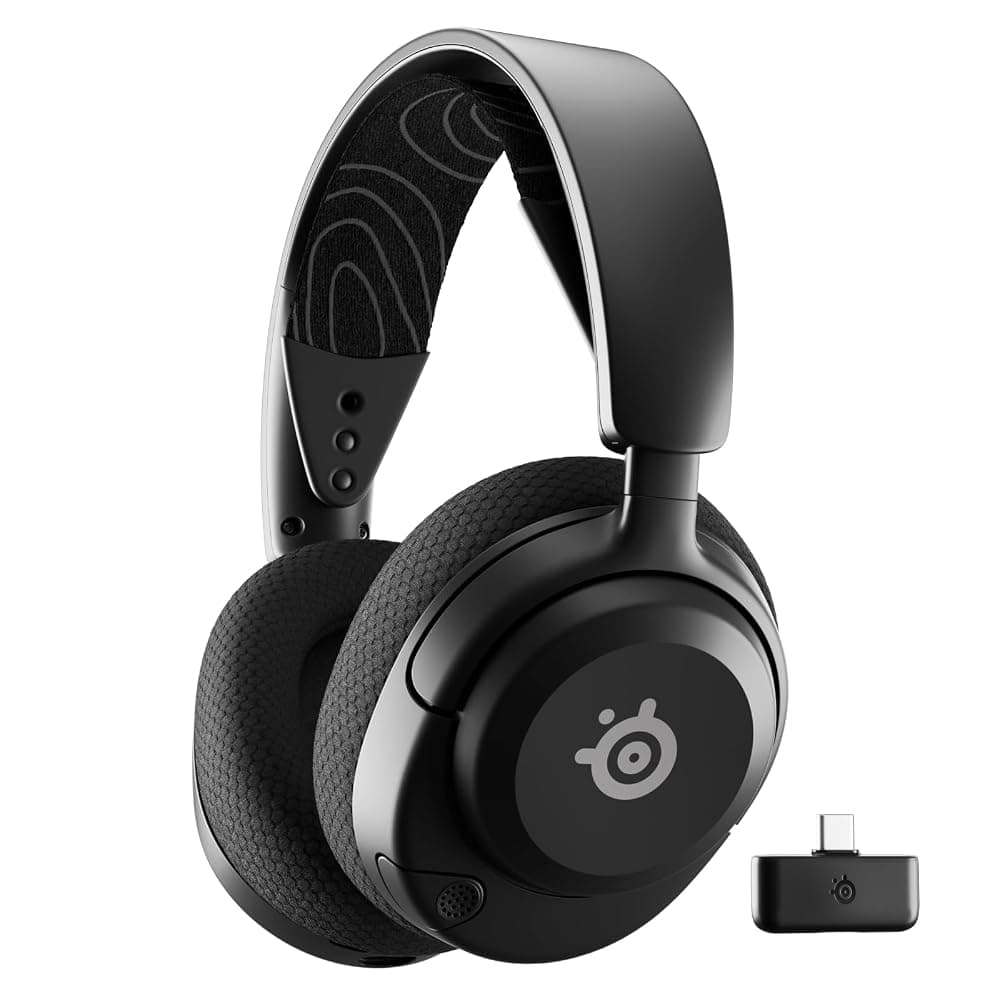
SteelSeries Arctis Nova 5 Wireless Gaming Headset – 2.4GHz & Bluetooth 5.3, 60-Hour Battery, ClearCast 2.X Mic, PC/PS5/Switch 2 (Black)
See today's price on Amazon.ie.
Check price on Amazon.ieFor more options across Switch, PS5 and PC, see our gaming headsets guide, or our wireless earbuds guide if you would rather use earbuds for listening.
Switch 2 accessories at a glance
| Accessory | Who needs it | What to check | Our pick | Typical budget |
|---|---|---|---|---|
| microSD Express card | Anyone buying digital games or Game-Key Cards | “microSD Express” and the EX logo; 256GB suits most | SanDisk microSD Express 256GB | €50–€100 |
| Screen protector | Anyone playing handheld | Made for Switch 2, not the original | Belkin TemperedGlass for Switch 2 | Under €25 |
| Travel case | Commuters, students, travellers | Switch 2 fit, game card slots | Belkin Switch 2 Travel Case | Under €25 |
| Second controller | Multiplayer on the TV | C button, Hall effect sticks, battery life | PowerA Advantage Wireless | Under €50 |
| Multi-platform controller | Switch 2 plus PC or Steam Deck | Bluetooth support for each device | 8BitDo Pro 3 | €50–€100 |
| Spare charger | Charging away from the dock | USB-C PD, ideally 45W or more, Irish 3-pin plug | Anker Prime 100W | €50–€100 |
| Power bank | Flights and long journeys | High USB-C output; hand luggage only | Anker 737 (24K, 140W) | Over €100 |
Common mistakes to avoid
- Buying an ordinary microSD card. The most common Switch 2 accessory mistake. Cards labelled “for gaming” or “for Switch” are often standard cards that only work in the original Switch.
- Reusing original Switch cases and screen protectors. The Switch 2 is bigger, so they will not fit properly.
- Buying controllers you already own. Original Switch controllers pair with the Switch 2. Buy new ones for the C button, mouse controls or a fresh battery, not because the old ones stop working.
- Taking the dock’s adapter on holiday. Buy a spare USB-C PD charger for travel instead, so nobody has to unplug the dock on Christmas Day.
- Ordering from a seller abroad. Some listings on Amazon.ie and Amazon.co.uk ship from outside the EU, which can mean import VAT, handling fees and a charger without an Irish/UK plug. Our guide to Amazon customs charges explains how to check.
Buying for Christmas
If a Switch 2 is going under the tree, buy the microSD Express card at the same time so the first big downloads on Christmas morning go straight onto it, and if you can, set up the console and run the system update before wrapping it. Parents can set play-time limits and age-based restrictions with Nintendo’s free parental controls app. Black Friday falls on 27 November 2026, and cases, screen protectors and storage cards are often reduced; a screen protector or case also makes a good stocking filler or Kris Kindle gift.
Amazon.ie stock is typically next-day with Prime in most areas, but the last week before Christmas is busy for couriers and An Post, so order well ahead of Amazon.ie’s published last order dates and check the return-by date in Your Orders (see our returns guide). Buying for a PlayStation household too? See our PS5 accessories guide, or the Christmas gift guide and kids’ gifts by age for wider ideas.