

What you are building
From November to March many Irish courses move to winter rules, some with temporary greens or fairway mats, and it is dark before you get home from work. A home golf set-up keeps your swing going until spring, and it does not have to mean a wall-sized projector screen on day one. At its simplest it is a net, a hitting mat and a launch monitor with the numbers on your phone. Every step up from there, a tablet or TV, then an impact screen, a projector and PC software, adds cost and space, so it pays to plan the room first and buy in that order.
The essentials are a room with the height for a full swing, a launch monitor that suits the room, a net rated for full shots, a hitting mat and a set of real balls; everything else can wait until you know you will use it. This guide goes through the build step by step, with the kit at each stage and what it costs to run. For a closer look at the launch monitors themselves, radar versus camera and which numbers are measured, see our golf launch monitor guide. If you are new to the game, clubs, lessons and a few rounds come first; our budget golf starter gear guide covers that.
Step 1: Measure the room and do the driver test
Height is the measurement that rules most rooms out. A full driver swing needs more headroom than most people expect, and the club is highest at the top of the backswing and in the follow-through, not at address. Many modern Irish houses have ceilings of around 2.4m, which is fine for putting and short chips but usually too low for a driver. Measure the ceiling where you will actually swing, under any light fittings, beams or garage door rails, and then measure depth and width.
| Measurement | Rough guide | Why it matters |
|---|---|---|
| Ceiling height | About 2.7–3m (9–10ft) for a full driver swing for most adults; more for tall golfers | A lower room may still work for wedges and short irons, or for putting only |
| Width | About 3–3.5m | Room to swing without clipping a wall, plus space for a side-of-ball launch monitor; more if left- and right-handers share it |
| Ball to net or screen | Usually at least 2.5–3m | Gives the sensor ball flight to read and the net time to absorb the ball |
| Total depth, launch monitor beside the ball | Roughly 4m or more | Ball-to-net distance plus room behind you to swing |
| Total depth, launch monitor behind the ball | Often 4.5–5m or more | Radar and hybrid units sit a couple of metres behind the ball |
- Garage. A single garage is often long enough but narrow, especially with a car, a freezer or bikes in it, and an up-and-over door and its tracks steal headroom at the front. A double or detached garage is usually the best bet if the roof is high enough, and you can sometimes hit across the width.
- Garden shed. Most timber sheds are too low for a full swing. A larger garden room or log cabin with a high apex, insulation and proper sockets can work well and is often drier than a garage.
- Spare room or box room. Ceiling height usually limits it to putting and chipping, which is still worth doing; see the small-room options further down.
- Neighbours and family. A ball hitting a net or screen is loud, and a semi-detached or terraced garage wall carries the noise. Keep children and pets well clear of the swing and out of the hitting area.
The Dublin Drop — Friday Deals
Price drops on Amazon.ie stock, once a week. No customs fees, no spam.
Free. No spam. Unsubscribe anytime. We only send verified domestic deals.
Step 2: Choose a launch monitor that fits the room
The launch monitor turns a net into practice with feedback. Where it sits decides how much room you need. Units that sit behind the ball, which includes most radar units and camera-and-radar hybrids such as the MLM2PRO, need depth behind you as well as ball flight in front. Units that sit beside the ball, mostly camera-based, read the ball at impact, which suits shorter rooms but takes some width. Pick the unit that fits your room, not the other way round, and check the maker’s minimum distances against your tape measure.
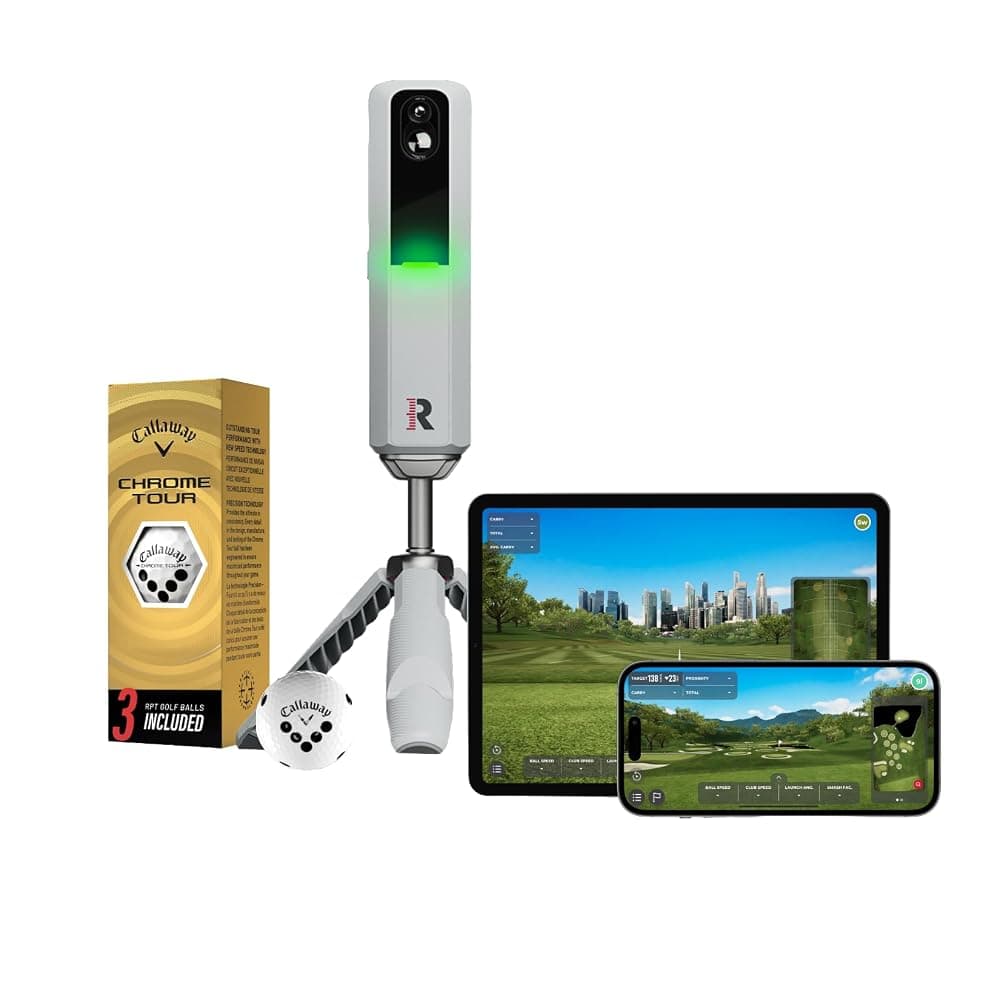
Rapsodo MLM2PRO Mobile Golf Launch Monitor and Simulator with 3 RPT Golf Balls (Grey)
Best for: Long garages and golfers who want one unit for the garage in winter and the range in summer.
The MLM2PRO is the most capable launch monitor we found in Amazon.ie’s own stock, and it does both jobs Irish golfers tend to want: a net in the garage in winter and the range in summer. It sits on a tripod behind the ball, combines two cameras with radar, and Rapsodo says it reports 13 metrics, six of them measured, including spin rate and spin axis. Measured spin depends on Rapsodo’s marked RPT balls, three of which come in the box; with your own balls, treat spin as an estimate. Because it sits behind you, it suits a long single garage better than a short wide one, so check Rapsodo’s published set-up distances first. Numbers show in the Rapsodo app on an iPhone, iPad or Android phone or tablet, and Impact Vision replays the strike in slow motion. Course play and several features, which may include the video replays, need Rapsodo’s paid membership, so check what the free tier includes and the current plan price before you buy. When we checked, the listing also had an Amazon UK offer through Amazon Global Store; choose the one that says Shipper / Seller Amazon.ie.
Pros
- Works into a garage net and outdoors at the range
- Measured spin with the included marked balls
- Slow-motion strike video alongside the numbers (check whether it needs the membership)
- Apple and Android apps, so a tablet can be the screen
Cons
- Sits behind the ball, so it needs more room depth than side-of-ball units
- Course play and several features need a paid membership
- Two sellers on one listing; pick the Amazon.ie offer
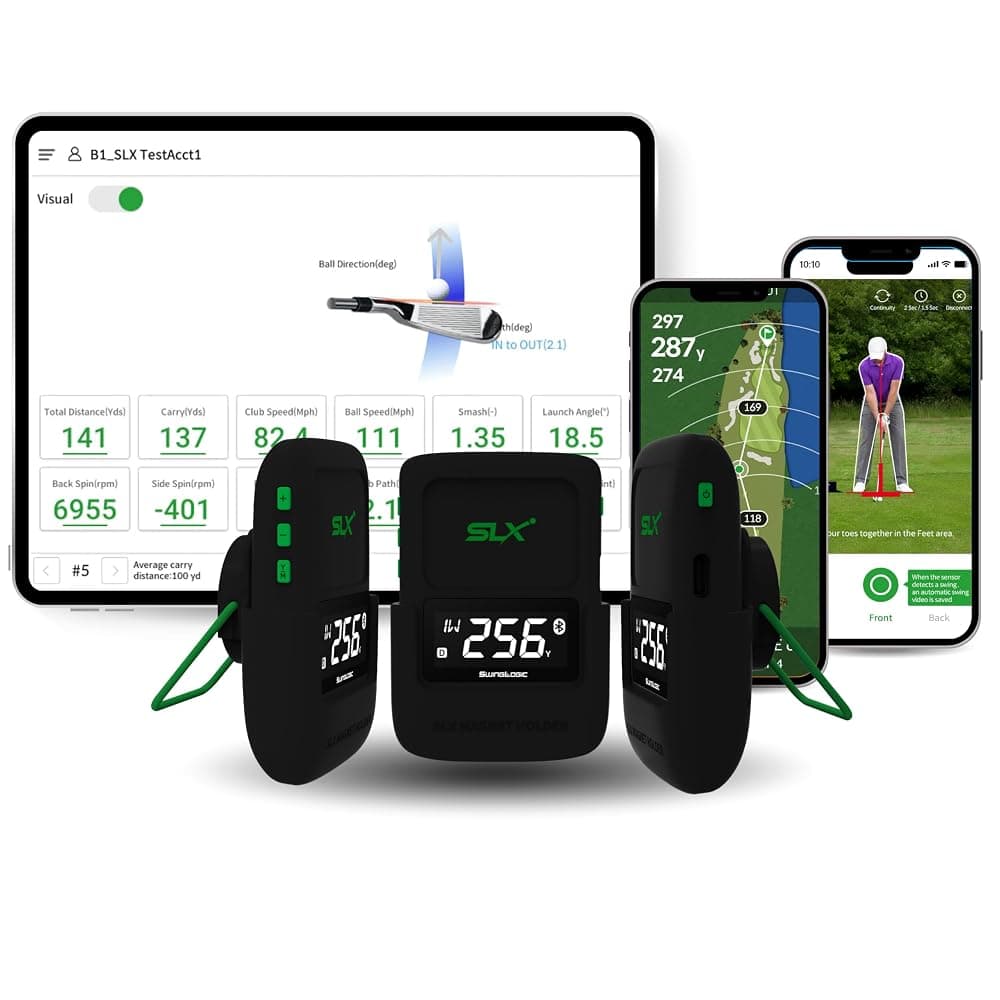
SLX Hybrid Mini Portable Golf Launch Monitor and GPS Device with Display
Best for: A first net-and-numbers set-up on a tight budget, or speed training.
If you mainly want to see club head speed, ball speed and smash factor while you groove a swing into a net, the SLX Hybrid Mini is the lowest-cost launch monitor we found sold by Amazon.ie. The listing says it reports ball speed, club head speed, smash factor and distance, connects by Bluetooth to an app that records swing video, and doubles as a golf GPS device. It does not explain how it measures or whether it reads launch angle or spin, so indoors, where the ball only flies a few metres, treat its distances as rough estimates. Use it for speed training and strike quality from session to session rather than for gapping or simulated rounds. Check that the app supports your phone before buying.
Pros
- Far cheaper than a simulator-capable unit
- Club head speed, ball speed and smash factor for strike work
- Small enough to live in the golf bag
Cons
- Thin technical detail on the listing; distances are estimates
- No measured spin or full simulation listed
If your room is short but wide, a camera unit that sits beside the ball is usually the better fit, and several, such as the Garmin Approach R50, SkyTrak+ and Square Golf, are designed mainly for home simulators. None of them was sold and dispatched by Amazon.ie when we checked; our launch monitor guide has search links filtered to Amazon.ie stock and explains what each type measures.
Step 3: Net or impact screen?
Something has to stop a driver hit at full speed, every time, including the shank that heads for the side wall. Start with a strong net. An impact screen is a projection surface designed to take ball strikes, and it only makes sense once you are adding a projector in Step 5.
| Hitting net | Net with side barriers or cage | Impact screen in an enclosure | |
|---|---|---|---|
| What it is | A framed net in front of you | A net with side and sometimes top netting to catch mishits | A frame with a projection screen at the front and netting at the sides and top |
| Suits | Net-and-numbers set-ups | Garages with walls, cars or windows nearby | Projector simulators |
| Watch out for | Ball rebounds if it is too taut or too close to the wall | Side panels narrow the hitting bay | Needs a gap behind the screen; can be loud on impact |
| Rough budget | Under €300 | €150–€500 | €500 to well over €1,500 |
- Rated for full swings. Small pop-up targets such as the Longridge chipping net are for chips, not drivers. Look for a net sold for full shots, with a solid frame and a ground anchor or weights.
- Leave a gap behind it. A net or screen pushed flat against a wall sends balls straight back at you. Follow the maker’s guidance on clearance, and hang a backstop or old carpet behind it if the wall is block or glass.
- Side barriers earn their keep. In a garage with a car, a freezer or a window to one side, side netting catches the mishits that a single net will not.
- Check the tension and wear. Netting and screens stretch and wear over time; re-tension them as the maker describes and replace worn ones before a ball goes through.
We could not find full-swing nets or impact screens in Amazon.ie’s own stock when we checked, so these links search Amazon.ie stock only and may come up short. Check the seller, and the sizes against your room, before you buy.
Nets and screens to check in Amazon.ie stock
Links open an Amazon.ie search filtered to items sold & dispatched by Amazon.ie. Availability changes.
- Search Amazon.ie
Full-swing golf hitting net
A framed net sized for driver shots. Compare the net size with your room width and height, and look for side barriers.
- Search Amazon.ie
Golf simulator impact screen
A projection surface built to take ball strikes. Check the size, the aspect ratio (4:3 or 16:9) and the recommended gap behind it.
- Search Amazon.ie
Golf simulator enclosure
A frame, screen and side netting sold as a kit. Measure carefully: enclosures are often sized in feet and need clearance on every side.
Step 4: Get a hitting mat that suits a concrete floor
Most Irish garages have a concrete floor, and a thin mat on concrete jars your wrists and elbows on every heavy shot. A good mat lets the club slide through, takes a real tee and has enough cushioning that you are not afraid to hit down on an iron. You stand either on the floor beside a hitting mat or on a larger combined hitting-and-stance mat, which keeps your feet level with the ball.
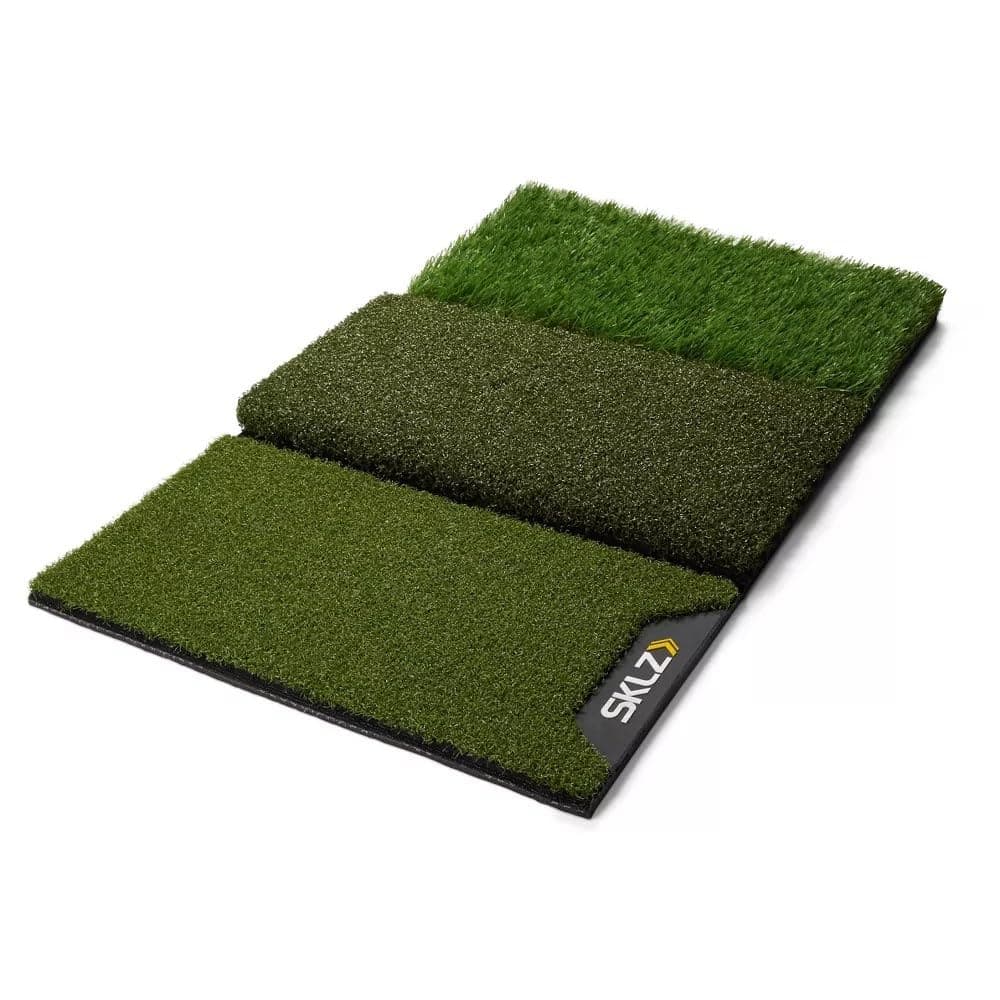
SKLZ Pure Practice Golf Hitting Mat with 3 Surfaces – Tee Turf, Fairway Cut and First-Cut Rough, 63.5 x 40.6cm
Best for: A first garage net set-up, and golfers who want to practise off a tee and a tight lie.
The SKLZ Pure Practice Mat gives you three surfaces in one compact mat: tee turf that holds a real tee for drivers and hybrids, a tight fairway cut for irons and wedges, and a strip of first-cut rough. At about 63.5 x 40.6cm and about 1kg it is a hitting mat rather than a stance platform, so you stand on the floor beside it; a stance mat or a board of similar height keeps your feet level with the ball. The listing does not give a pile height, so on bare concrete add a firm rubber underlay and make sure it does not creep under you. It is light enough to bring indoors after each session, which keeps it dry. Stock was low when we checked.
Pros
- Three lies in one mat, including tee turf for real tees
- Compact and light, so it can live indoors between sessions
- Sold and dispatched by Amazon.ie
Cons
- Small: there is no built-in stance area
- No thickness or cushioning figure on the listing; add an underlay on concrete
- Low stock when we checked
- Mats forgive fat shots. On many mats the club bounces into the ball even when you hit the ground first, so a heavy strike can still read well on the launch monitor. Watch the strike video, or lay a folded towel a few centimetres behind the ball to show up heavy contact.
- Feet level with the ball. If the hitting mat is raised and you stand on concrete, the ball is slightly above your feet on every shot. A stance mat or a board of matching height fixes that.
- Tees wear out. Mats with a tee hole use rubber tees that get clipped and lost behind the net. Keep a spare pack in the drawer.
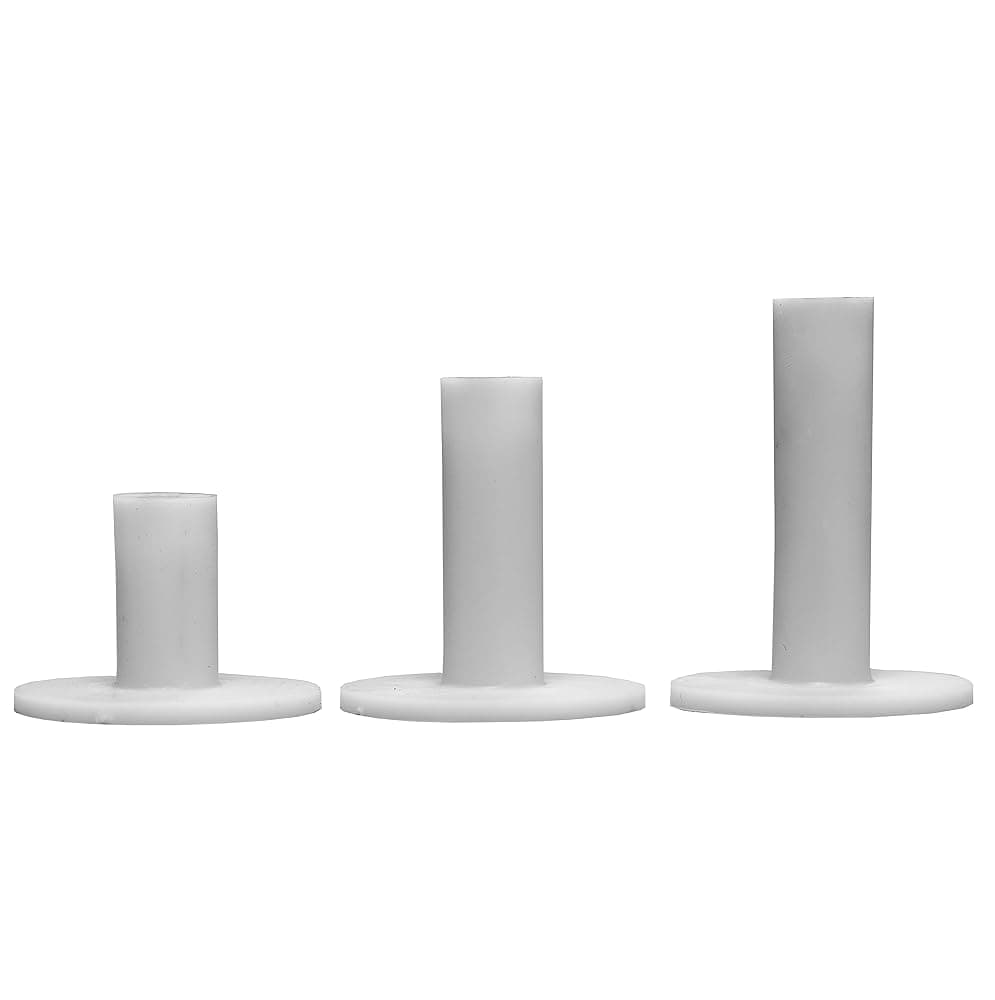
Longridge Rubber Golf Driving Range Tees – Pack of 3 (White)
See today's price on Amazon.ie.
Check price on Amazon.ieSrixon Soft Feel Golf Balls – One Dozen (Soft White)
See today's price on Amazon.ie.
Check price on Amazon.ieStep 5: Add a screen and simulator software
Start with the phone you already own, running the launch monitor’s own app. If you find yourself using it every week, move up a step at a time: a tablet on a stand beside the net, then a TV or monitor on the wall, and only then an impact screen and projector. Each step makes the numbers easier to read from the mat and the virtual rounds more fun.
A tablet is the easiest upgrade from a phone. The Rapsodo app runs on iPad, and E6 Connect is available for iPad as well as Windows PCs. The iPad (A16) has USB-C, so with a USB-C to HDMI adapter, or AirPlay to a compatible TV, you can put a round on a bigger screen. GSPro will not run on it; that needs a Windows PC. Keep the tablet on a stand to the side and slightly behind you, never between you and the net, and bring it indoors afterwards.
Apple iPad 11-inch (A16 chip, 2025) Wi-Fi 128GB – Liquid Retina Display, Touch ID, 12MP Cameras (Blue)
See today's price on Amazon.ie.
Check price on Amazon.ie| Software | Runs on | What to know |
|---|---|---|
| The maker’s own app (Rapsodo, Garmin Golf, FS Golf and others) | Phone or tablet | Basic numbers are usually free; simulated courses and some features often need a membership. Garmin’s Home Tee Hero on the Approach R10 needs a Garmin Golf membership. |
| E6 Connect | Windows PC or iPad | Course play and practice ranges, sold as a subscription or licence; check your launch monitor is supported and on which plan |
| GSPro | Windows PC with a capable graphics card | Popular with home simulator builders, with a large library of courses made by its user community; check your launch monitor is supported and how it connects |
| ExPutt software | Your TV, through the ExPutt unit | Putting only; the listing says online play against other ExPutt users is free |
- Short throw is the usual choice. A short-throw projector sits close to the screen, often on a shelf or ceiling mount above and in front of you, so your body and club do not throw a shadow on the picture. Check the throw ratio against your room with the maker’s throw calculator before buying.
- Brightness and resolution. Garages with windows and a white door need a brighter projector than a blacked-out room. Native 1080p is a sensible minimum for reading the course.
- Match the shape. Many golf impact screens are 4:3, while most projectors are 16:9; you can live with bars at the sides or buy a screen that matches the projector.
- Protect it. Mount the projector out of the swing arc and out of reach of a ball that pops up off the screen. A ball strike on the lens is an expensive mistake.
- Mains kit and plugs. Projectors, PCs and monitors plug into the mains, so check that the listing is sold by Amazon.ie and comes with a UK/Irish 3-pin plug or lead.
Projector to check in Amazon.ie stock
Links open an Amazon.ie search filtered to items sold & dispatched by Amazon.ie. Availability changes.
- Search Amazon.ie
Short-throw projector
Many low-cost mini projectors are not bright enough for a garage. Compare ANSI lumens, the throw ratio and native resolution, and check the seller and plug on the exact listing.
Step 6: Deal with damp and cold before they deal with your kit
An unheated Irish garage or shed spends much of the winter cold and damp, and that is hard on electronics, batteries, screens and balls. The main risk is condensation: when warm, moist air meets a cold surface, water forms on it. That can happen on a projector lens or a PC that has sat in a cold garage overnight once you turn on a heater, or on a launch monitor that you leave in the car and bring into a warm room.
- Bring the portable kit indoors. The launch monitor, tablet, phone and balls are easy to carry, so keep them in the house between sessions; cold balls also fly shorter. If something has been left out in the cold, let it reach room temperature before you switch it on or charge it.
- Do not charge batteries in the cold. Lithium-ion batteries should not be charged when they are very cold, so charge the launch monitor and tablet indoors; check the manual for each device’s temperature range.
- Fixed kit needs a dry room. If a projector or PC stays in the garage, keep the space above freezing and dry, warm it gradually, and wait a while before switching on. A cover keeps dust off but will not stop damp.
- Dry the air. In an unheated garage a desiccant dehumidifier keeps working in the cold, where a compressor model struggles; a compressor unit suits a converted or heated garage or spare room. Our dehumidifier guide explains the difference.
- Avoid portable gas heaters. They add moisture to the air and need ventilation. An electric heater with a thermostat and frost setting is the cleaner option; plug it straight into a wall socket, keep it well away from the net, the screen, petrol for the lawnmower, paint and solvents, and follow the manual on leaving it switched on. Our electric heaters guide covers the types.
- Sockets and leads. Garage sockets should be RCD protected. Do not run a heater, PC and projector off one extension lead, and keep leads out of the hitting area and off a wet floor. If you need new sockets, use a Safe Electric registered electrician.
Both products below plug into the mains and are sold by Amazon.ie with a UK/Irish 3-pin plug. The De’Longhi convector has a frost setting that switches it on below about 5°C and three power levels for warming the room before a session. The Meaco Arete One is a compressor dehumidifier, so it is the better fit for a converted garage, garden room or spare room that you heat rather than a cold, bare garage.
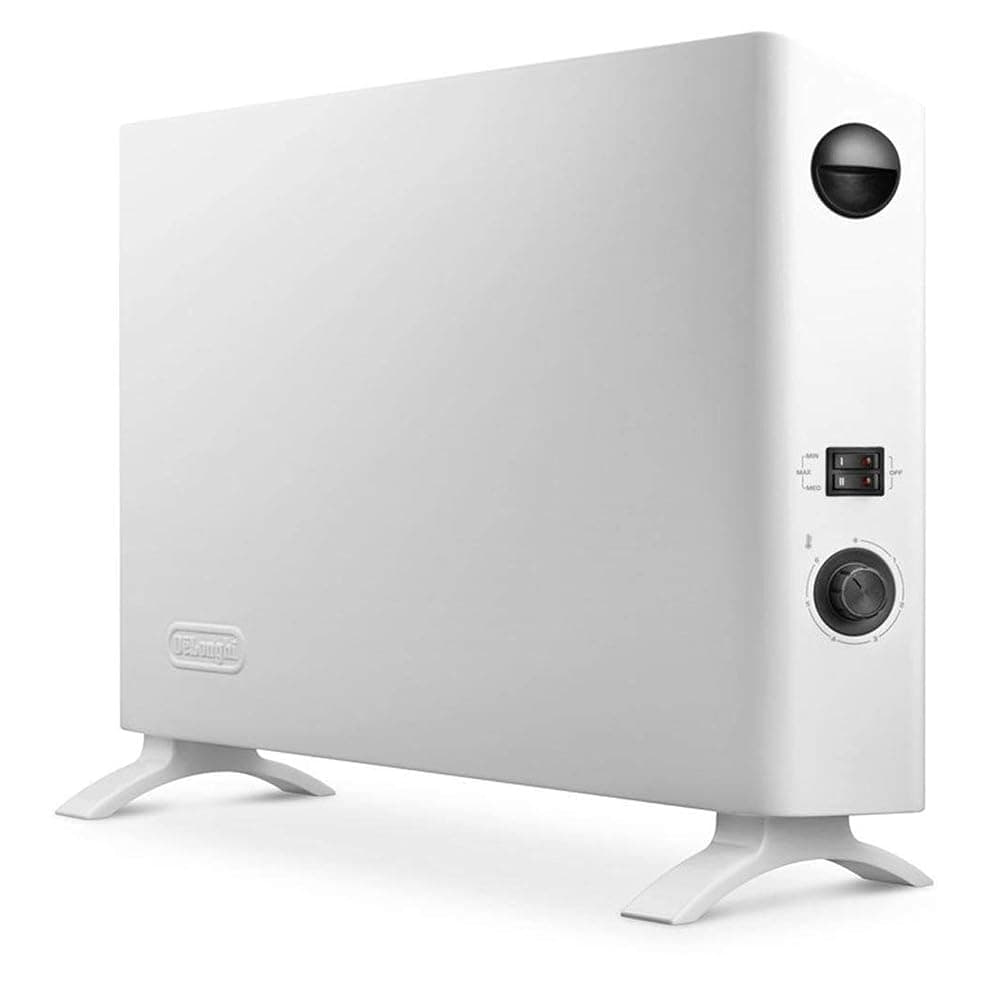
De'Longhi HSX2320 2kW Slim Convector Heater with Thermostat and Anti-Frost Setting, White
See today's price on Amazon.ie.
Check price on Amazon.ie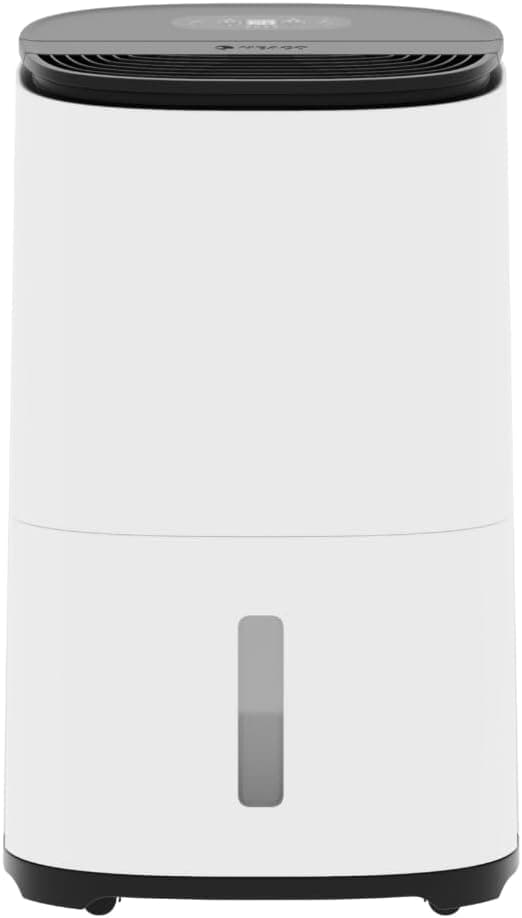
Meaco Arete One 20L Dehumidifier and Medical-Grade H13 HEPA Air Purifier (Low Energy)
See today's price on Amazon.ie.
Check price on Amazon.ieStep 7: Put it together and calibrate
- Mark the target line. Put the mat where the driver test passed, then lay a club or a strip of tape on the floor from the ball to the centre of the net or screen.
- Place the launch monitor. Follow the maker’s set-up screen and distances exactly: behind the ball and pointing down the target line for the Rapsodo MLM2PRO, or beside the ball for a camera unit. A launch monitor aimed even slightly off line makes every shot read offline.
- Sort the lighting. Some camera-based units need a reasonably bright, even light, and a single dim bulb in a garage may not be enough. Check the maker’s indoor lighting guidance.
- Choose the indoor or net settings in the app if it has them, and use the marked balls if your unit needs them for spin.
- Start short. Hit wedges and short irons first, check the numbers look sensible against carries you know from the course, then build up to the driver.
- Keep a log. Note your carry with each club across a few sessions, and compare it with the range or the course in spring. Indoor numbers are a guide, not gospel.
What it costs: from net-and-numbers to a full simulator
You can stop at any of these stages. Most people get most of the benefit from the first two, and the projector stage roughly doubles or triples the spend. The rough totals assume you already own clubs and a phone, and they exclude memberships and software, which recur every year. Not sure you will use it? Some Irish golf centres and driving ranges rent simulator bays by the hour, and an evening or two in one is a cheap way to find out, and to try the software, before you buy.
| Stage | What you get | Typical kit | Rough total |
|---|---|---|---|
| Net and numbers | Swing into a net with club and ball speed | SLX Hybrid Mini, hitting net, mat, balls | About €300–€650 |
| Net, numbers and video | Carry, spin with marked balls, gapping and strike video | Rapsodo MLM2PRO, net with side barriers, mat, balls | About €900–€1,400 |
| Tablet or TV simulator | Virtual rounds and range games on a bigger screen | The stage above plus a tablet or TV; a membership on top for courses | About €1,300–€1,900, less if you own the tablet or TV |
| Full projector simulator | Life-size shots on an impact screen | Launch monitor, enclosure and screen, short-throw projector, often a Windows PC and simulator software | €3,000 upwards |
| Putting only | Putting practice in a room with no headroom | PGA Tour putting mat, or the ExPutt simulator | Under €50 to about €500 |
Running costs are easy to forget. Add the launch monitor’s membership if you want courses, any simulator software subscription, replacement balls (nets and screens scuff them), tees and, eventually, a new net or screen. Electricity matters too: multiply each appliance’s wattage in kilowatts by your unit rate, so at an example rate of 32c per kWh a 2kW heater on full costs about 64c an hour. A projector and a gaming PC together usually draw less than that, but check the wattage on each. Our appliance running costs guide shows how to work it out for your own tariff.
Not enough height? Practise putting instead
If the room fails the driver test, putting is the best use of it, and putts make up a big share of every score. A simple mat does the job for short putts, and a putting simulator adds long putts and slopes without needing a long room.
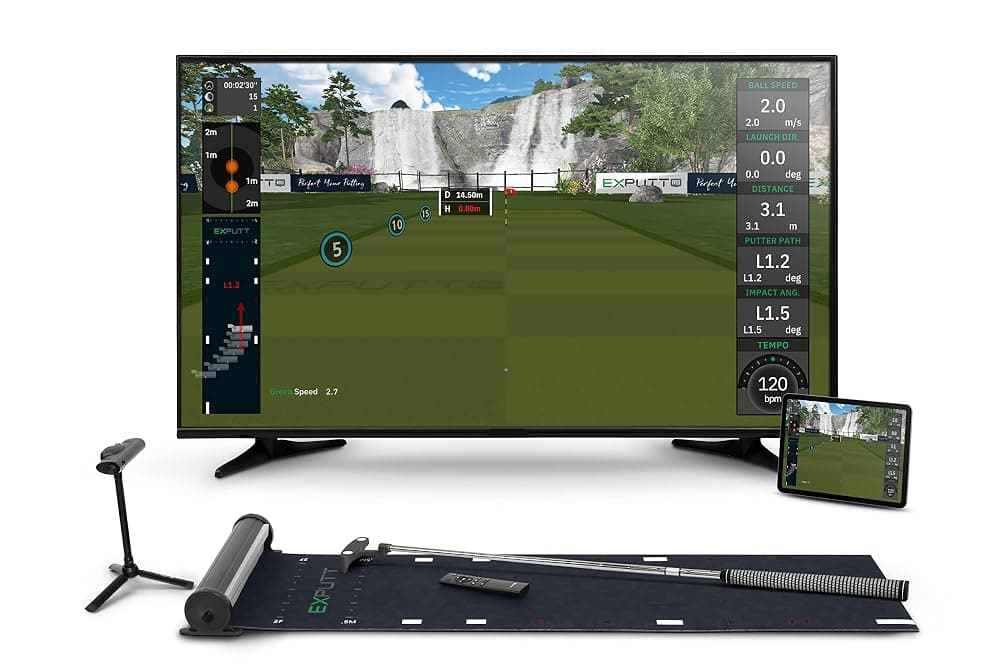
ExPutt EX500D Pro Golf Putting Simulator with High-Speed Camera, Putting Mat and TV Holder
Best for: Box rooms, apartments and keen golfers whose long game is already sorted.
The ExPutt uses a high-speed camera to watch your putter and ball on the supplied mat, then plays the rest of the putt out on your TV, on greens modelled on more than 70 real courses, according to ExPutt. Because the roll is simulated, a long lag putt fits in a living room or spare bedroom, and each stroke gets feedback on ball speed, putter path, face angle and tempo. You need your own putter, a TV with HDMI and USB sockets (the listing specifies a smart TV) and Wi-Fi. It does nothing for the long game and it is a big spend for putting alone. Stock was low when we checked.
Pros
- Long putts and slopes in a small room
- Stroke feedback on speed, path, face angle and tempo
- Free online play and a multiplayer mode, according to the listing
Cons
- Putting only
- Needs a smart TV with HDMI and USB, and Wi-Fi
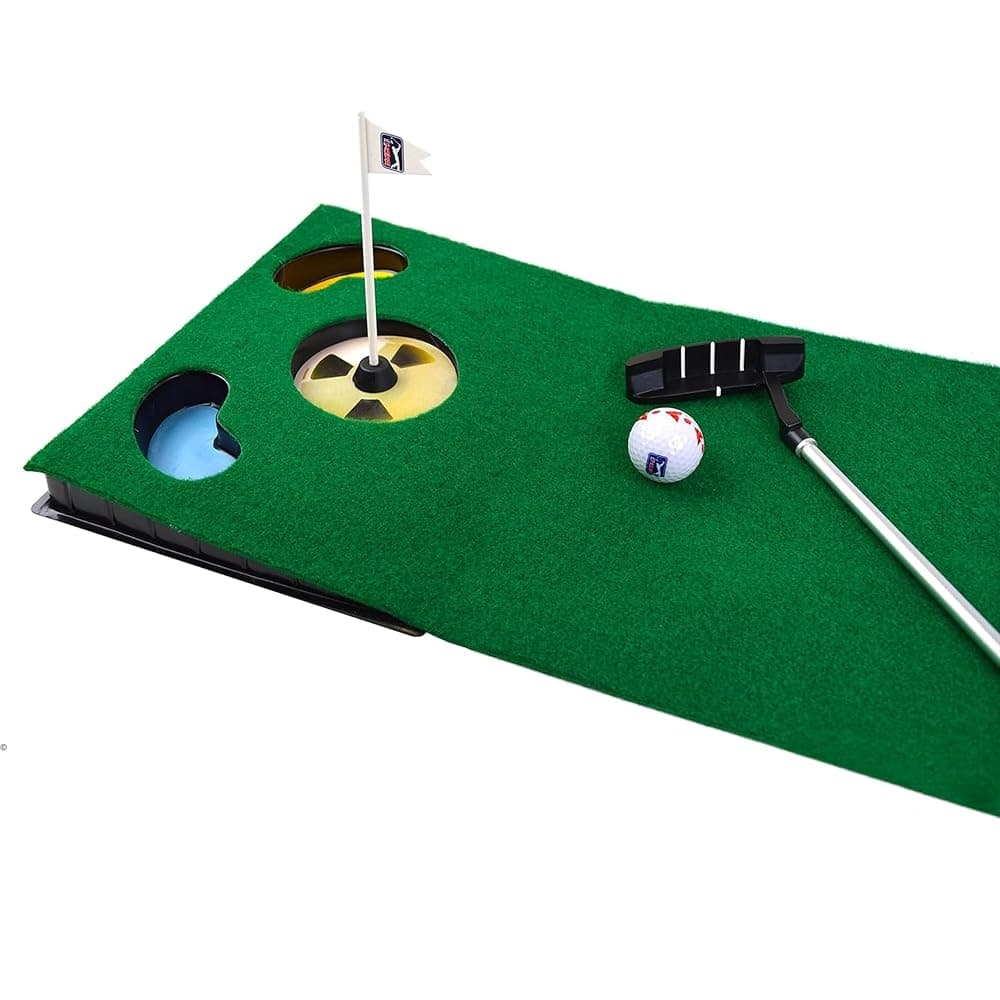
PGA Tour 6ft Putting Mat with Collapsible Putter & Alignment Golf Ball
See today's price on Amazon.ie.
Check price on Amazon.ie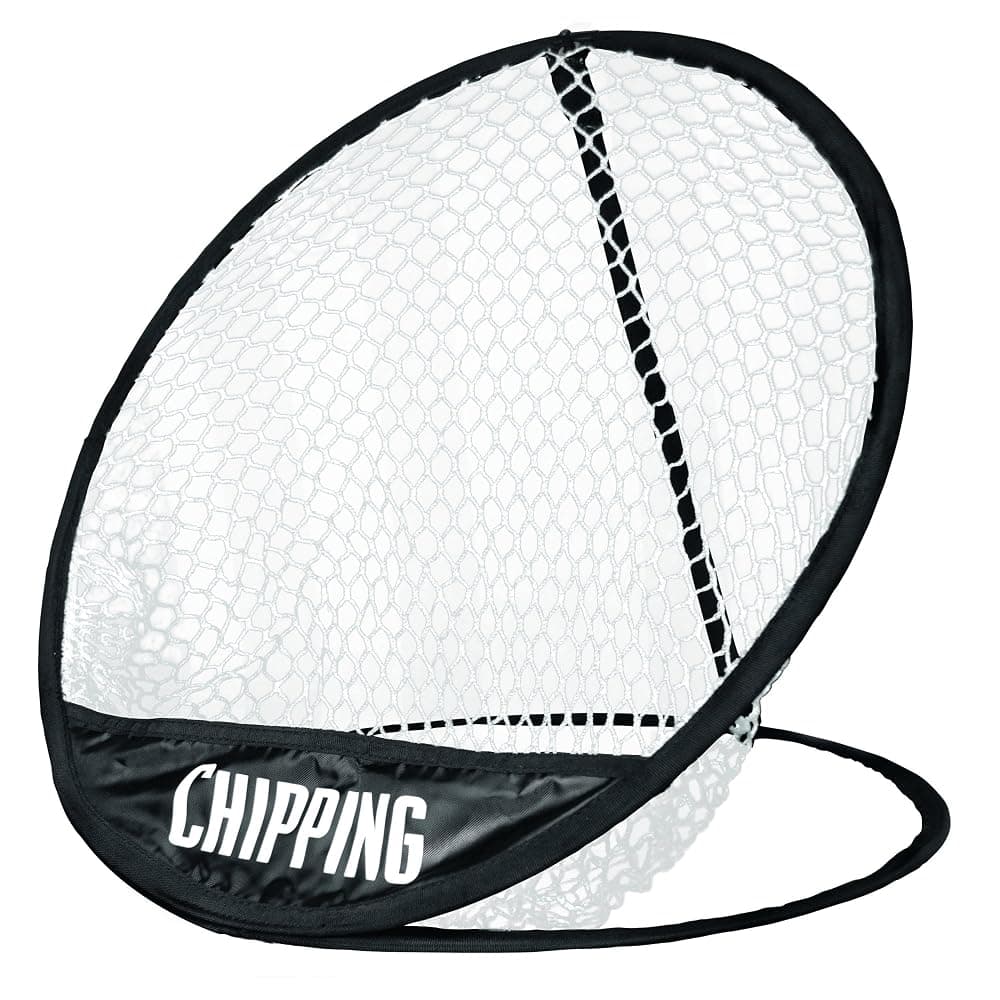
Longridge Pop-Up Golf Chipping Net
See today's price on Amazon.ie.
Check price on Amazon.ieCommon mistakes
- Buying the launch monitor before measuring the room. Radar units behind the ball and camera units beside it need different spaces. Measure first.
- A net that is too taut or too close to the wall. Balls come straight back. Leave a gap behind it and keep the tension the maker recommends.
- Using foam or plastic balls with a launch monitor. Most need real balls to read properly. Keep a dedicated set for the garage.
- Trusting every indoor number. Spin and distance are often calculated rather than measured indoors, and mats forgive heavy strikes. Watch trends, not single shots.
- Leaving electronics in a cold, damp garage. Bring the portable kit inside and let cold kit warm up before switching on.
- Forgetting the subscription. Add the yearly membership and software to the price before you buy.
Buying the kit in Ireland
A home simulator is a lot of separate purchases, and big, bulky items such as nets, enclosures and projectors are where ordering from Great Britain catches people out. Since Brexit, an order shipped from Britain is an import: Irish VAT is due on the value plus postage, customs duty may apply, and a carrier can add a handling fee. Our customs charges explainer covers the rules. Every catalogue pick on this page was sold and dispatched by Amazon.ie when we checked, so there are no import charges at the door, mains items come with a UK/Irish 3-pin plug, and you have EU consumer rights if something goes wrong. Some listings carry an Amazon UK offer as well, so check that the option you add to your basket says Ships from and sold by Amazon.ie; our guide to finding Amazon.ie stock shows where to look. For more, see our golf launch monitor guide, our budget golf starter gear guide, the Sports & Fitness guides or the Sports & Outdoors category. Buying a set-up as a present? Our gifts for him and Christmas gift guide have more ideas, and the returns guide explains the holiday returns window.